
Store Credit Rewards: Real Cashback, Spent at Checkout
Real cashback customers spend at checkout — no points math, no coupon codes. How store credit rewards work, and why the value stays in your store.

Summarize this post with AI
Most rewards ask your customers to do a little work before they feel anything. Earn the points, do the math to figure out what they're worth, find the right code, paste it in at checkout, and hope it applies. Every one of those steps is a small chance to give up.
Store credit rewards remove that work. Instead of an abstract points balance, the customer gets real value — a $5.00 credit in their account — that they can spend at checkout, just like any other payment. No conversion, no code, no guesswork. And because that credit can only be spent with you, the reward you give out comes back as another order.
This guide walks through what store credit rewards are, how they work, how they fit alongside a points program rather than replacing it, and how to run them on your Shopify store with Joy.
What store credit rewards are — real cashback, not abstract points
A store credit reward is a real cash balance, held in your store's currency, that a customer can spend on future orders. If you give someone a $10.00 credit, they see $10.00 — not a points total they have to decode. It reads like money because, inside your store, it behaves like money.
That concreteness is the whole point. "$5.00 credit" tells the customer exactly what they have and exactly what it's worth. There's nothing to calculate and nothing to look up. When the value is obvious, the motivation to use it is immediate.
Store credit is also closed-loop: it can only be spent with you. That single trait is what turns a reward into a retention tool. A discount code can feel like a giveaway; a store credit balance is a standing reason to return, because the only way to use it is to place another order. We'll come back to why that matters for your revenue in a moment.
You'll sometimes see store credit rewards described as cashback, and that's a fair description — the customer is getting real value back that they can spend. The difference is just where that value lives and how it's delivered. With store credit, the cashback lands as a balance in the customer's account, ready to use at checkout.
Store credit rewards vs a store credit card
One quick clarification, because the term gets crowded. A store credit reward is a balance you issue — there's nothing to apply for, no interest, no approval. The customer earns it and spends it.
A store credit card is something else entirely: a bank-issued line of credit with applications, approvals, and an APR. That's a financing product, not a reward.
This guide is about the first kind — your own brand currency, given as a reward and spent at your store.
Why does store credit keep revenue inside your store?
Here's the business case, and it comes straight from the closed-loop trait we mentioned earlier: when a customer spends store credit, that is another purchase. The value never leaves your store — it recirculates as revenue.
Compare that to a cash refund, which sends money out of your business, sometimes permanently. Store credit keeps the value in and turns the moment of redemption into a sale.
This is also where loyalty stops being a guess and becomes something you can measure. McKinsey found that the top-performing loyalty programs grow revenue by 15–25% a year from customers who actually redeem their rewards, through more frequent orders and bigger baskets. Redemption is the engine, and store credit is built to be redeemed. More broadly, Antavo's 2025 report found that about 83% of programs measuring their return report a positive ROI, averaging around 5.2x — evidence that a well-run rewards program earns its keep when customers engage with it.
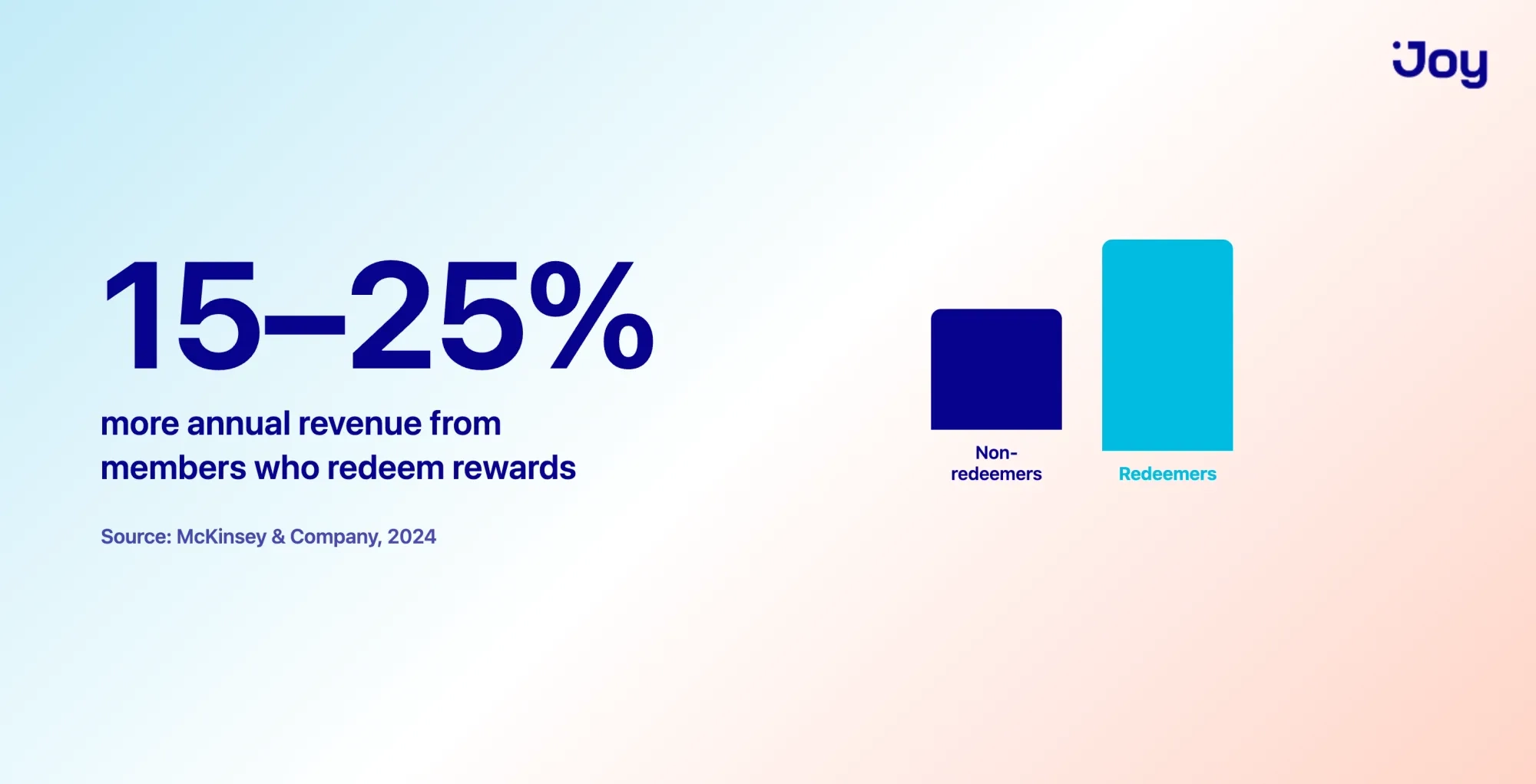
Money that can only be spent with you
The contrast with a refund is worth sitting with. A cash refund is the value walking out the door. Store credit is the value staying put, waiting to become the customer's next order.
That's true whether the credit started as a reward or as a refund alternative. Offering refund-to-store-credit on returns keeps revenue you'd otherwise lose, and gives the customer a reason to shop again instead of simply getting their money back. The mechanic is the same: value stays in, the next visit is a purchase.
What to track
Store credit's payoff shows up in a few specific numbers, so watch them before and after you roll it out:
- Retention rate and repeat purchase rate — is store credit bringing customers back?
- Customer lifetime value (CLV) — are those returning customers worth more over time?
- ROI — is the credit you issue paying back in revenue?
Joy reports these in its dashboard — retention rate, repeat purchase rate, CLV, and ROI — so you can see whether store credit is doing its job rather than assuming it is. If you want a fuller picture of which numbers matter, our guide to loyalty program metrics covers the rest.
How store credit rewards work in Joy
The mechanics are simple from the store owner's side: you decide where customers earn credit, set the rule once, and Joy handles the rest. From the customer's side, it's even simpler — the credit shows up, and it's there at checkout.
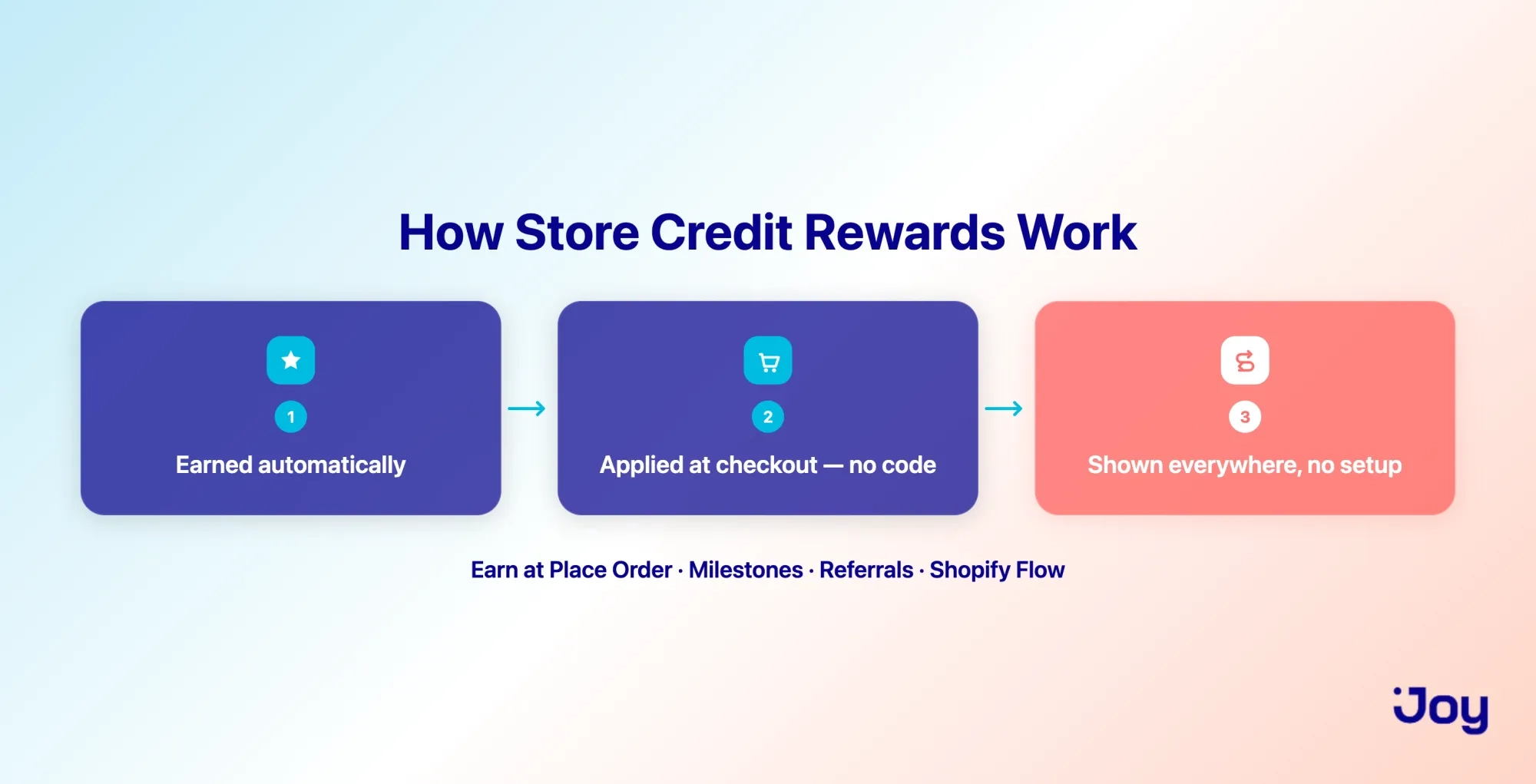
Where customers earn store credit in Joy
With Joy, you can issue store credit as a reward across several moments in the customer's journey:
- Place Order — give cashback on a purchase. Set a percentage, and it's issued automatically. Spend $100, earn 5% back as a $5.00 credit toward the next order.
- Milestones — reward a customer for reaching a goal, like a total spend or a number of orders.
- Referrals — reward the referrer, the friend, or both with in-store credit when a referral converts.
- Shopify Flow — trigger store credit from any Flow workflow, so you can tie it to custom events that matter to your store.
You configure the rule once. After that, the credit is issued on its own whenever a customer meets the condition — no manual work per customer.
How it applies at checkout — no coupon, no redeem step
Here's the part that removes that friction. When a customer has store credit, it's available at checkout as a balance they can apply — the same way Shopify-native store credit works. There's no code to copy and no "redeem" button to hunt for. The value is simply there, ready to use.
Because Joy's store credit is powered by Shopify-native store credit, the checkout behavior is the reliable, built-in Shopify experience rather than a workaround bolted on top. That's the quiet advantage: the reward feels less like a coupon and more like money the customer already has.
Where the balance shows up
A reward only works if customers know they have it. Store credit in Joy appears everywhere your points already show — the loyalty widget, the loyalty page, the customer account, and the product page — automatically. You don't set up new placements or configure anything extra; wherever a customer already checks their rewards, their credit balance is there too.
Ways to reward customers with store credit in Joy
Once the mechanism is in place, store credit becomes a flexible tool you can point at whichever moment matters most for your store. A few of the most useful:
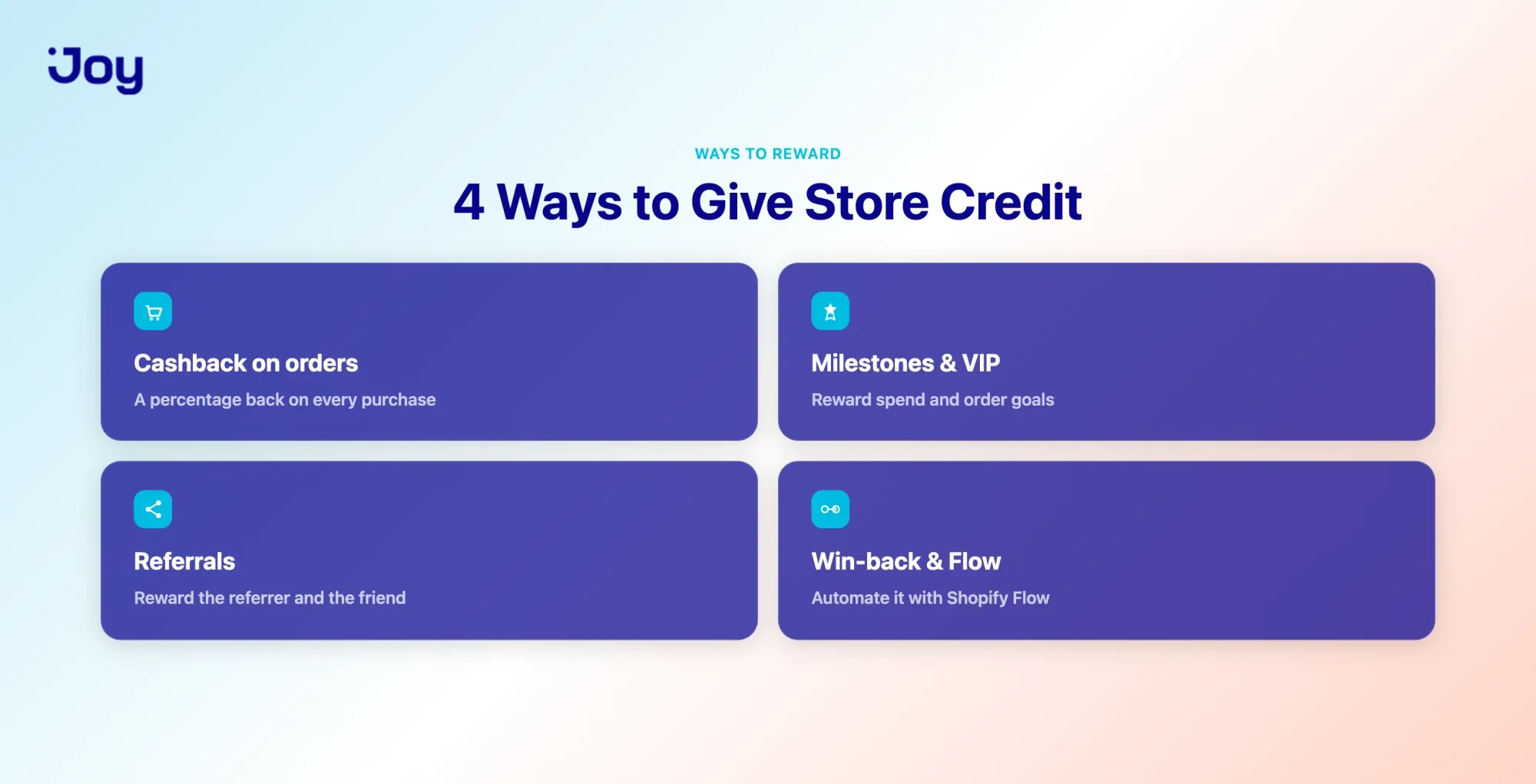
Cashback on every order
Set a percentage back as store credit on each purchase. It's the simplest way to make every order a reason to place the next one — buy $100, get $5.00 back to spend next time. For most stores focused on repeat purchases, this is the natural starting point.
Milestone and VIP rewards
Reward customers for reaching a milestone — a spend threshold, an order count — with a store credit bonus. A concrete finish line ("$20.00 credit at your fifth order") gives customers something to aim for, and pairs naturally with VIP tiers for your higher-value regulars.
Referral rewards in store credit
Pay referral rewards in store credit, and the incentive stays spendable only with you. Instead of a discount that feels like margin walking away, the referral reward itself becomes a reason for the new — or existing — customer to place an order. The value recirculates rather than leaking out.
Win-back, service recovery, and Flow-triggered credit
Store credit is a low-friction way to win back a customer who's drifted, or to make things right after a bad experience — a genuine, spendable gesture rather than an apology email. And because Joy connects to Shopify Flow, you can trigger any of this automatically: set the workflow once, and the credit goes out when the condition is met.
Staying in control: expiration, currencies, and Shopify-native trust
Handing out real value at scale only works if you can manage it. Store credit in Joy comes with the controls that make it safe to run.
Expiration you control
You decide when credit expires — set a global rule, or override it per program. Expiration does two useful things at once: it nudges customers to come back before their balance lapses, and it keeps your outstanding credit balance from piling up indefinitely. You set the window that fits your store; you're not stuck with someone else's default.
Multi-market and multi-currency
If you sell across markets, store credit shows in the customer's own market currency, and referral rewards can be set by region. A customer in one market sees their balance in their currency, not a converted figure they have to interpret — so the reward stays as clear abroad as it is at home.
Managing balances: activity log and bulk CSV
You can see every customer's balance and the activity log behind it, so nothing about the program is a black box. And when you need to move fast — migrating an existing program, running a one-time credit campaign, correcting a batch of accounts — you can import or adjust balances in bulk by CSV instead of editing accounts one at a time. All of it runs on Shopify-native store credit, so the underlying balance is the trusted Shopify record, not a separate ledger you have to reconcile.
A few honest trade-offs
Store credit isn't the right answer for every situation, and it's worth being upfront about that.
- Some customers genuinely want their money back. For a faulty product, or a first-time buyer who hasn't built any trust with you yet, a cash refund can be the fairer call. Forcing credit in those moments can cost you the relationship you were trying to protect.
- Issued credit is a balance you carry until it's spent or expires. Expiration and reporting keep it manageable, but it's a real liability — worth watching your outstanding total.
- Store credit rewards a purchase; it doesn't fix one. If customers aren't coming back because of the product or the delivery experience, credit only delays the churn rather than solving it.
Used where it fits — repeat purchases, referrals, and returns where the customer is happy to shop again — store credit is a strong tool. Pushed everywhere by default, it frustrates. So the setup below assumes you're applying it where it earns its place.
How to set up store credit rewards in Joy
Getting started takes a few steps:
- Install Joy on your Shopify store. Store credit runs on Shopify-native store credit, so it plugs into your existing checkout.
- Choose where customers earn — Place Order for cashback, Milestones, Referrals, or a Shopify Flow event.
- Set the reward rule — for example, 5% back as store credit, or a fixed amount for referrals.
- Set expiration — a global window, or a per-program override.
- Publish. From there, credit is issued automatically when customers qualify, applies at checkout with no code, and shows up in the widget, account, and loyalty page on its own.
That's the whole loop: set the rule once, and store credit does the work of bringing customers back on its own.
Give customers a reward they can actually feel
Store credit rewards work because they take the effort out of being rewarded. The value is real and legible — a dollar amount, not a puzzle. It applies at checkout with no code to chase. It stays inside your store, so the reward you give comes back as revenue. And it sits comfortably alongside a points program, covering the short-term pull to return while points build the longer relationship.
If you're already running rewards on Shopify and watching value expire unredeemed, store credit is a straightforward way to change that. You can try Joy for free and set up your first store credit reward in a few minutes — pick where customers earn, set the amount, and let it bring them back.
Frequently asked questions
What is a store credit reward?
It's a real cash balance you give a customer — say $5.00 — that they spend on future orders at your store. Unlike points, the value is shown directly, so there's nothing to convert.
How is store credit different from points?
Points are an abstract total that the customer converts into a reward over time, usually via a code. Store credit is a concrete dollar balance that applies at checkout with no code. Points build long-term status; store credit pulls the next purchase. Many stores run both.
Is store credit the same as cashback?
They overlap. "Cashback" describes giving real value back, often as a percentage of a purchase. Store credit is the balance that value lands in, so cashback in a Shopify store is typically delivered as store credit.
How do customers redeem store credit?
They don't have to do much. The balance is available at checkout as a payment option and applies there directly — no coupon code, no separate redemption step.
Does store credit expire?
Only if you set it to. In Joy, you control expiration globally or per program, so you can add a window to encourage return visits or leave credit open-ended.
Is store credit better than a refund?
It depends on the situation, but for the store, it usually keeps more value in the business — a refund sends money out, while store credit stays and becomes another order. Offered fairly, most customers accept it, especially with a small bonus attached.
Can I offer store credit and points together?
Yes, and it's often the strongest setup. Store credit handles short-term retention while points nurture the long-term relationship. Joy runs in both programs.
Does store credit work across currencies?
In Joy, balances display in the customer's market currency, and referral rewards can be set by region — so the reward stays clear for customers in different markets.

Written by
Thomas Nguyen is the CEO & Co-founder of Joy, a loyalty solution for Shopify and eCommerce brands. With years of experience building high-performance Shopify apps, Thomas aims to help merchants grow through customizable and retention-focused tools.
Related reading
 Product update
You renamed the program in Joy. Your loyalty page kept the old name.
The loyalty page is now built inside Joy — a live preview beside every setting, fifteen drag-to-reorder sections, eight industry templates, and earn, redeem and VIP tier cards that read your live programs instead of text typed into the page.
 Thomas Nguyen
 Product update
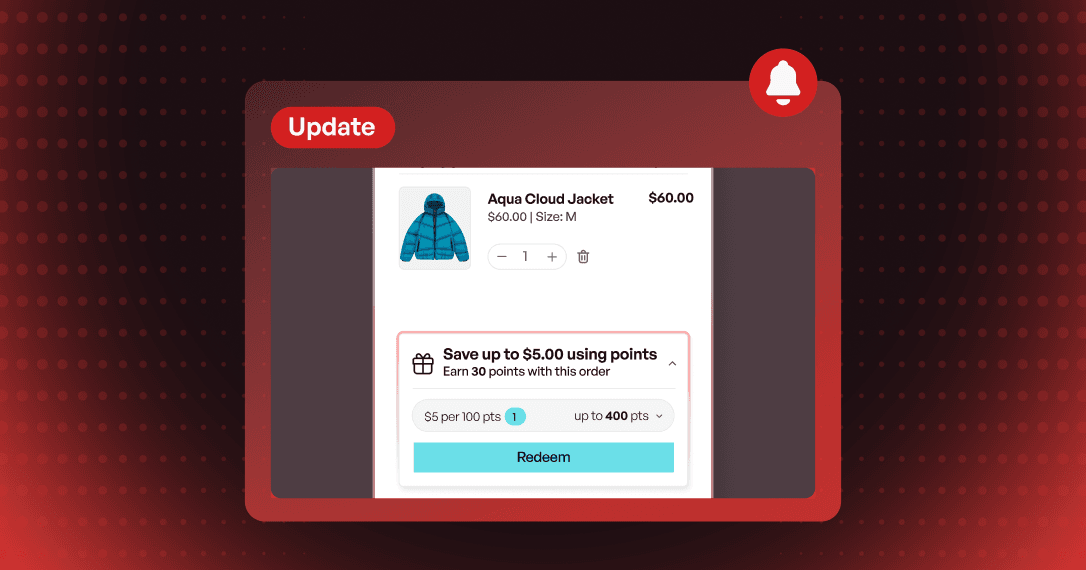
Your customer is in the cart with points they never spent
Redeem in Cart is rebuilt — its own full-screen editor, eight style presets, an On-brand scan, a points slider for dynamic rewards, and free shipping redeemed from the cart. No page reload.
Thomas Nguyen Product update
Joy now connects to Attentive: loyalty moments that send the SMS
Points, VIP tiers and birthdays now start SMS journeys in Attentive. Joy sends the moment, Attentive sends the text.
Thomas Nguyen