
How to set up customer retention automation (without a big team)
A step-by-step guide to automating customer retention across the customer lifecycle, from onboarding to win-back.
Summarize this post with AI
Keeping customers is the cheapest form of growth a store can achieve, yet most of the work behind it still happens by hand. You remember to send a win-back email, you tag a customer who looks like they're slipping away, you set up a birthday reward when you find a spare hour. That works at a small scale. It breaks the moment orders pick up.
Customer retention automation fixes the part that usually fails: consistent follow-through. It doesn't replace your judgment. It handles the repetitive triggers so every customer gets the right nudge at the right time. This guide covers what retention automation is, how the underlying engine works, and the specific workflows you can set up across the customer lifecycle.
Key takeaways
- Customer retention automation uses software to trigger retention actions, such as emails, rewards, and surveys, based on customer behavior, so the follow-through happens without manual work.
- Manual retention usually fails on execution, not strategy, because people forget the timing. Automation solves the timing problem.
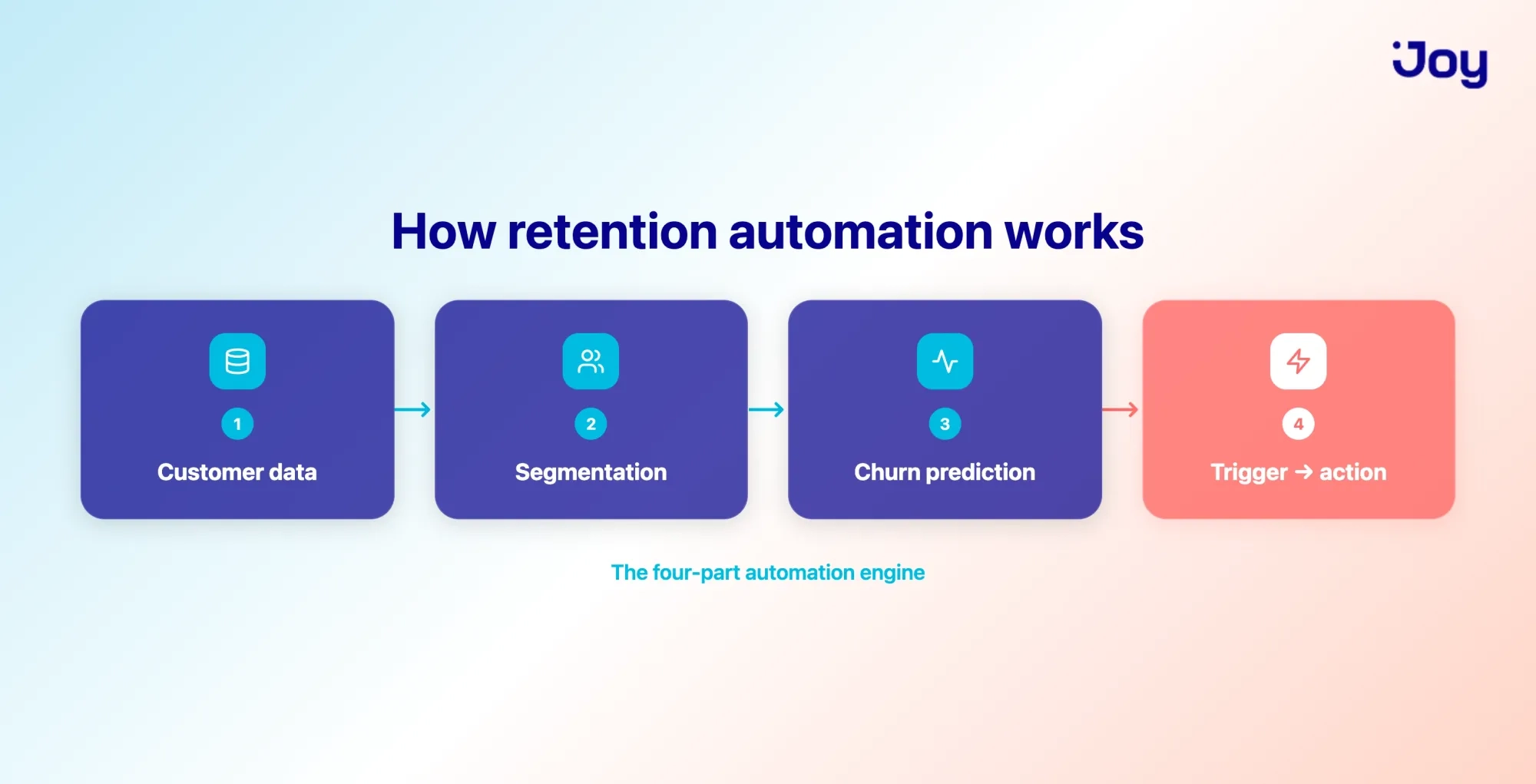
- Every automation runs on the same engine: customer data, segmentation, churn signals, and a trigger that fires an action.
- The most durable retention automations are tied to the customer lifecycle, from onboarding flows to loyalty rewards to win-back sequences.
- Start with two or three high-value flows, connect your tools so the data flows freely, then measure retention rate and customer lifetime value to see what works.
What is customer retention automation?
Customer retention automation is the use of software to run retention actions automatically based on customer behavior. Instead of sending each email or reward by hand, you set rules once, and the system triggers the right action when a customer meets them, such as finishing a purchase, hitting a points milestone, or going quiet for 60 days.
It helps to separate three terms that often get mixed up. Retention automation is the mechanism, the trigger that leads to an action. Retention software is the tool that runs it. Loyalty program automation is one part of the whole, focused on points and rewards.
Why automate retention now
Manual retention quietly costs you more than it looks. Automation pays off because it makes the follow-through consistent, and consistency is exactly what manual effort can't maintain as you grow.
The hidden cost of manual retention
Manual retention fails on execution, not ideas. You know you should follow up after a purchase, reward loyal buyers, and catch customers before they drift. The problem is doing all of it, for every customer, at the right moment, every single day.
That's where revenue leaks out. A customer abandons a cart, and no reminder goes out. Someone's points are about to expire, and nobody tells them. A loyal buyer goes quiet, and you notice three months too late. None of these is a strategy failure. They're timing failures, and timing is the first thing to slip when a person is doing the work by hand.
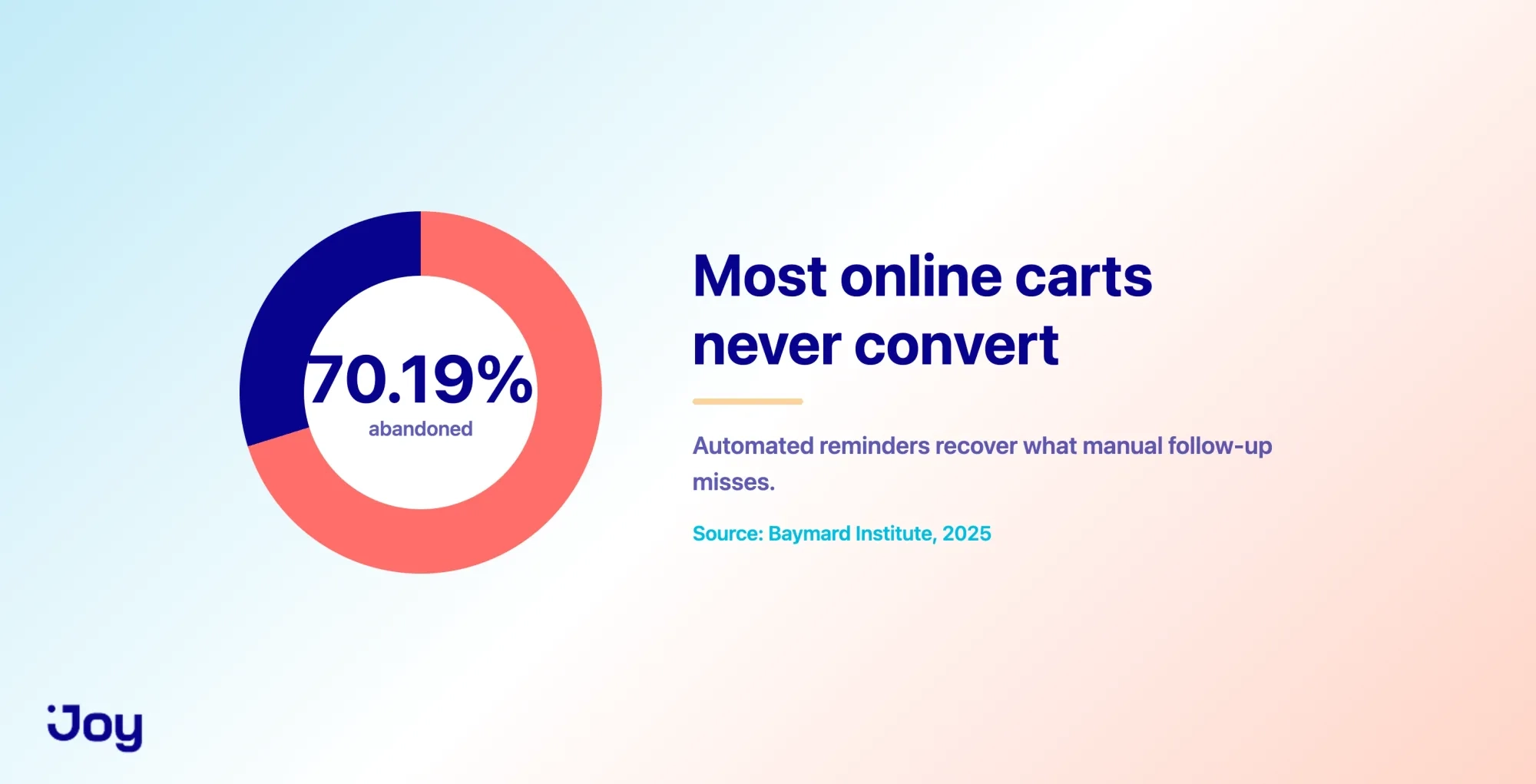
The scale of the leak is real. Across roughly 50 studies, the average cart abandonment rate is 70.19%. Recovering even a slice of that depends on a reminder going out reliably, which is precisely the kind of task automation handles better than a person.
What you gain by automating
Automation turns retention from an occasional task into a system that's always on. The benefit isn't cutting staff. It's making sure no moment gets missed.
You gain consistency first. Every customer gets the right touchpoint at the right time, whether you process 10 orders a day or 10,000. You gain time because your team stops sending things by hand and focuses on the work that actually needs a human. Over time, you tend to see stronger repeat purchase rates and higher customer lifetime value, simply because the small, timely nudges keep happening.
It also scales with you. A system you set up at five hundred orders a month keeps running at five thousand without you having to hire someone just to remember the follow-ups. Those gains only show up when the automation is built on a solid foundation, so here's how the engine actually works.
How retention automation works: the four-part engine
Most retention automation runs on the same four parts: data, segmentation, churn signals, and a trigger that fires an action. Once you see these parts, you can set up almost any flow.
Customer data and health signals
Everything starts with the data your store already collects. Purchase history, order frequency, how recently someone bought, points balance, support tickets, and email opens all add up to a picture of customer health.
Pulled together, these signals tell you who's thriving and who's drifting. An automation is only as smart as the data it can read, so the first job is to make sure those signals reach one place rather than sit in separate tools. That single view is what every later step depends on.
Segmentation
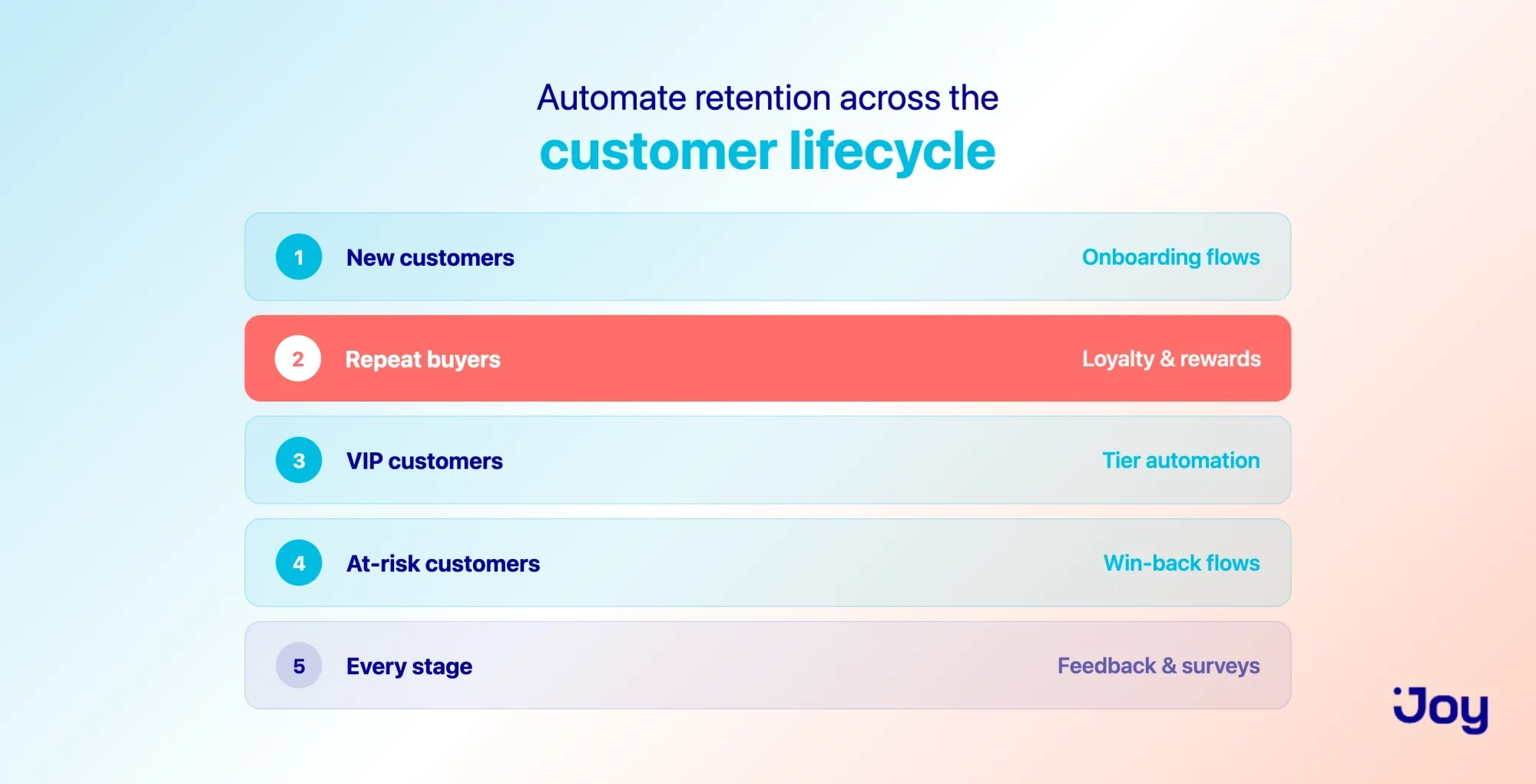
Segmentation groups customers so each one gets a relevant message. The simplest grouping for ecommerce follows the lifecycle: new buyers, repeat buyers, VIPs, at-risk customers, and those who've already lapsed.
Without segments, automation sends the same message to everyone, which usually backfires. A first-time buyer and a loyal VIP need different nudges. Grouping by lifecycle stage keeps each message relevant, and it maps cleanly onto the workflows later in this guide.
Churn prediction
Churn prediction identifies customers who are about to leave, so you can still do something about it. The signals are usually visible in the data: buying less often, ignoring emails, and a health score that's trending down.
This is where automation earns its keep. Catching a customer before they go is far easier than winning them back after they've gone. Predictive tools automatically flag at-risk customers, so the warning reaches you in time to act rather than after the fact.
Triggers and actions
The last part is the simplest: an event triggers an action. A purchase, a points milestone, or ninety days of silence is the event. An email, a reward, or a tier upgrade is the action.
Every automation comes down to this pairing. Once you can describe a flow as "when this happens, do that," you can build it. On Shopify, tools like Shopify Flow let loyalty events, such as earning points or moving up a tier, trigger an action automatically, no code required. With that engine in mind, here are the specific automations worth setting up, organized by where the customer is in their journey.
Retention automations to set up, mapped to the customer lifecycle
The most durable automations follow the customer through their lifecycle. Rather than a loose list of tactics, think of each stage as a moment that deserves its own flow. Here's what to run at each one.
New customers: onboarding and first-purchase flows
The window right after a first purchase is the best chance you have to create a repeat buyer. A welcome email series, an invitation to join your loyalty program, and a small nudge toward a second order all belong here.
The goal is simple: make the second purchase feel natural rather than random. Some Shopify stores use Joy to award sign-up and first-order points automatically, then send a loyalty notification, so a new customer enters the rewards loop from the very first order. That early momentum is often what separates a one-time buyer from a regular buyer.
Repeat buyers: loyalty and rewards automation
For customers who already buy again, a loyalty program is the retention engine that's always running. Every order earns points, and every point balance gives a reason to come back. Because it's tied directly to buying behavior, this is the most durable automation you can set up.
A few rewards flows work especially well together. Points accrue on each order, then customers redeem them for a discount, free shipping, or a free product. Birthday rewards land automatically on the right date. Points for writing a review or completing a survey turn engagement into more points. A referral reward sends existing customers out to bring friends back in.
Joy runs each of these as a standing automation, so the earning, redeeming, and referring happen on their own. The practical effect for a merchant is steady repeat purchases without anyone manually issuing rewards. If you want to go deeper on the economics behind this, our guide on loyalty program retention rate breaks it down.
VIP customers: tier automation
Your highest-value customers respond to status, and tiers deliver it automatically. A tier program promotes customers based on points, spend, or order count, then applies perks without anyone lifting a finger.
The motivation works in both directions. Reaching the next tier gives customers a reason to spend a little more, and keeping their status gives them a reason to stay. With Joy, VIP tiers reassess automatically, and member perks, like an automatic discount at checkout, apply on their own once a customer qualifies.
At-risk and churned: win-back flows
When a customer goes quiet, an automated win-back flow brings them back before they're gone for good. The trigger is usually inactivity, say no order in ninety days, or a points balance that's about to expire. The action is a reminder, often paired with an offer.
Reactivating a customer who already knows your brand is usually lighter work than building a new relationship from scratch, because the history and the relationship are already there. Expiring loyalty points make a natural hook, since they give customers a concrete reason to return now. Joy sends a notification when points are close to expiring, and points expiration settings create that gentle deadline automatically.
Across the lifecycle: feedback and survey automation
Feedback automation works at every stage, and it does double duty. An automated survey after delivery or after a support interaction measures how customers feel, and it's a touchpoint that keeps you in front of them.
Tying a small reward to the survey noticeably lifts response rates. Joy lets customers earn points for completing a survey or writing a review, turning feedback into action. Knowing which automations to run is one thing. Putting them together into a system is another.
How to build your retention automation system
Building the system is a sequence, not a big-bang launch. Follow these four steps, and you'll have something working without overcommitting.
Map your customer lifecycle
Start by drawing the stages your customers actually move through, then mark the moments that matter at each one. A first purchase, a fifth purchase, a long silence: these are the points where a well-timed action changes the outcome. The map comes before the tool, always.
Define triggers and actions for each stage
Next, pair each important moment with an event and an action. Onboarding, loyalty, and win-back tend to deliver the most value, so start there. Resist the urge to automate everything on day one. Two or three high-value flows running well beat a dozen half-built ones.
Connect your tech stack
Your loyalty app, email tool, reviews, and helpdesk all need to share data, or the automation stalls. This is where the single customer view from earlier becomes real. Connect them through native integrations or Shopify Flow, so loyalty data flows into the tools you already use rather than sitting on its own island.
Test, measure, and iterate
Launch a flow, watch how it performs, then adjust the timing, the trigger, or the offer. Keep in mind that automation only works as well as the data and segments behind it. Messy data or too many overlapping flows can turn helpful nudges into spam, so add flows gradually and prune the ones that underperform. Retention automation isn't fully set-and-forget. Revisit your flows when your products or processes change, so the automation stays in step with the business. To know whether any of it is working, you need to watch the right numbers.
Metrics to track once automation is live
A handful of metrics tell you whether your automation is keeping customers and growing their value. Track these consistently:
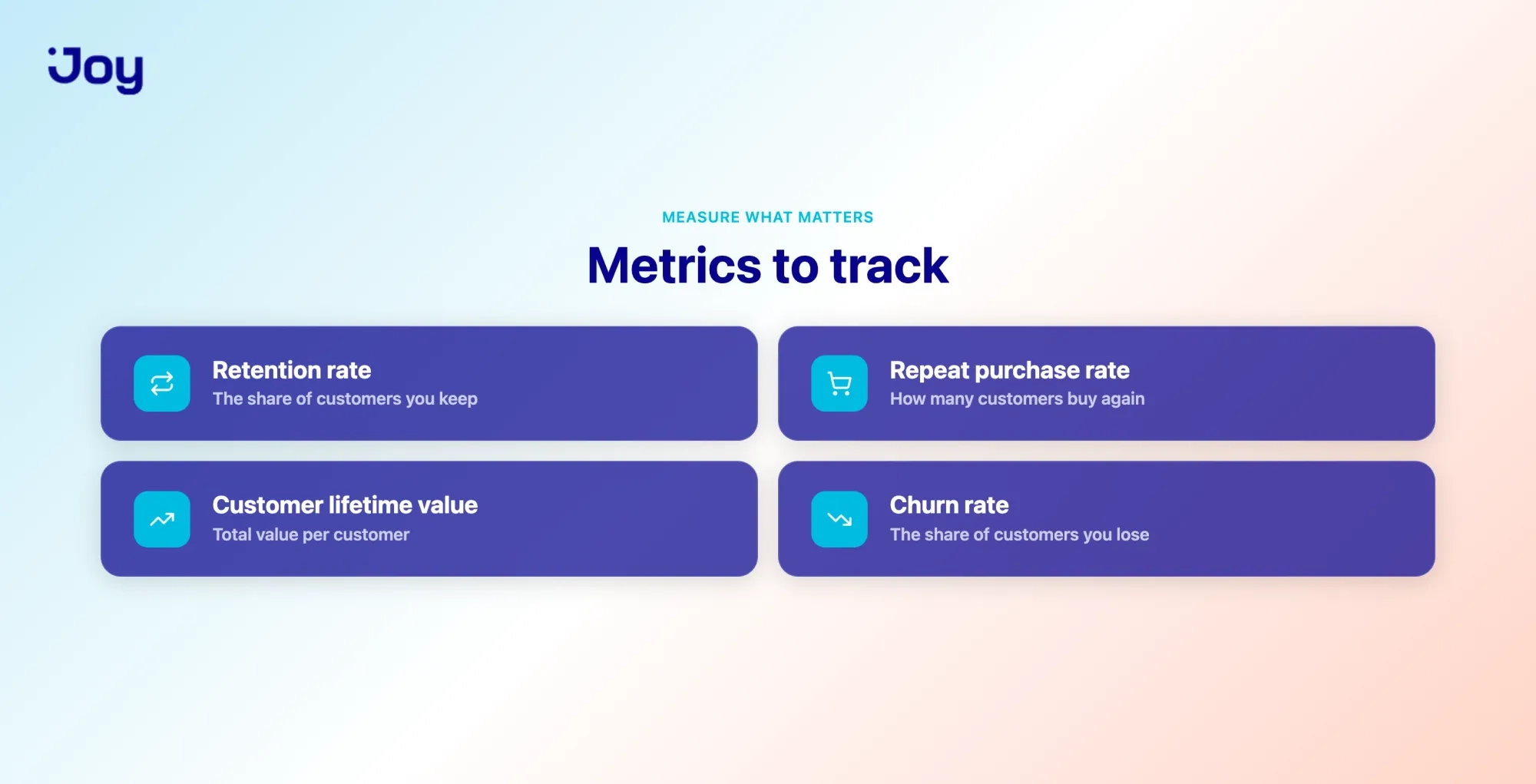
- Customer retention rate. The share of customers you keep over a period. This is the headline number for whether retention is improving.
- Repeat purchase rate. How many customers buy more than once? It shows whether your loyalty and onboarding flows are doing their job.
- Customer lifetime value. The total value a customer brings over the relationship. Rising lifetime value is the clearest sign that automation is paying off.
- Churn rate. The share of customers you lose. Watch it to see whether your win-back and at-risk flows are working.
- Redemption and participation rate. How actively do customers use your loyalty program? Low participation means the program needs attention, even if other numbers look fine.
You don't need a separate analytics project to follow these. Joy reports on retention rate, customer lifetime value, ROI, and assisted-order revenue inside the app, so you can see how the automation is performing without exporting data everywhere. Owning those numbers in one place is easier with the right tool, which is what to look for next.
What to look for in retention automation tools
The right tool fits your stack and lets you build flows without a developer. When you're comparing options, weigh a few practical criteria.
Look for flexible triggers and actions first, ideally with Shopify Flow support and a rule engine, so you can shape automations around your store rather than a fixed template. Check that it integrates cleanly with the tools you already run. Favor a tool with built-in loyalty, rewards, and segmentation, so retention lives in one place. Make sure it reports on retention and lifetime value, not just vanity metrics. Finally, confirm you can set it up yourself, without booking developer time.
Joy meets these criteria for Shopify merchants, with flexible automation rules, Shopify Flow support, and retention analytics in one app. It's one proven option among several, so weigh it against your own stack and needs before deciding.
Turning retention into a system that runs itself
Retention stops being a scramble when it runs on a system instead of your memory. The four-part engine, data, segmentation, churn signals, and triggers, is what makes that possible, and mapping automations to the customer lifecycle is what makes them stick.
You don't have to build it all at once. Pick two or three high-value flows, get them running, and let the system handle the repetitive timing while you focus on the bigger calls. If you're on Shopify and want to automate the loyalty side of retention, you can try Joy Loyalty for free: set up one onboarding flow and watch assisted orders show up in your dashboard, no developer needed.
Frequently asked questions
What is customer retention automation?
It's the use of software to run retention actions automatically based on customer behavior. You set rules once, and the system sends emails, issues rewards, or flags at-risk customers when the right trigger fires, so the follow-through happens without manual work.
How do you automate customer retention?
Start by mapping your customer lifecycle, then pair each key moment with a trigger and an action, like a welcome flow after a first purchase or a win-back email after ninety days of silence. Connect your loyalty app, email, and helpdesk so data flows freely, then measure and adjust.
What is the best customer retention automation software?
There isn't a single best tool. The right one supports flexible triggers, integrates with your existing stack, includes loyalty and segmentation, and reports on retention and lifetime value. For Shopify stores, Joy covers these in one app, though it's worth comparing against your specific needs.
Does retention automation work for small stores?
Yes. You don't need a large catalog or a big team to benefit. Start with two or three flows, such as onboarding, loyalty rewards, and win-back, and expand once they're running well.

Written by
Thomas Nguyen is the CEO & Co-founder of Joy, a loyalty solution for Shopify and eCommerce brands. With years of experience building high-performance Shopify apps, Thomas aims to help merchants grow through customizable and retention-focused tools.
Related reading
 Loyalty Strategy
Relationship Marketing and Customer Loyalty: The 4-Pillar Framework
True customer loyalty is declining for the first time in 5 years (SAP, 2025). Discount-driven marketing is hitting diminishing returns. Relationship marketing flips the model: build trust and shared value first, then watch loyalty follow. Here's the 4-pillar framework.
 Thomas Nguyen
-f9ebcc.webp&w=3840&q=75) Loyalty Strategy
Loyalty StrategyCustomer Engagement and Loyalty: Strategies and How to Measure Them
Customer engagement and loyalty aren’t the same thing. Here’s how they differ, seven strategies that build both, and the metrics that tell you it’s working.
Thomas Nguyen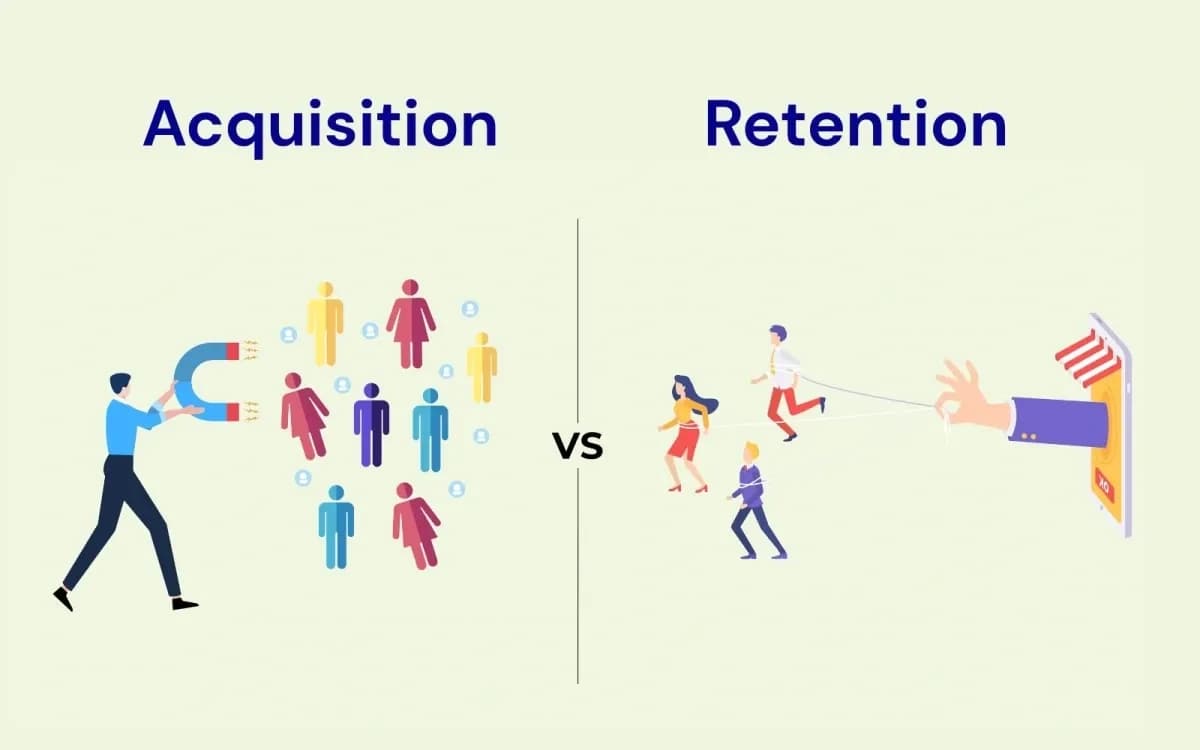 Loyalty Strategy
Customer Acquisition vs Retention: Where to Put Your Next Dollar
Customer acquisition and retention aren't a contest. Here's what each really costs, when to prioritize which, and a simple LTV:CAC way to decide your split.
Thomas Nguyen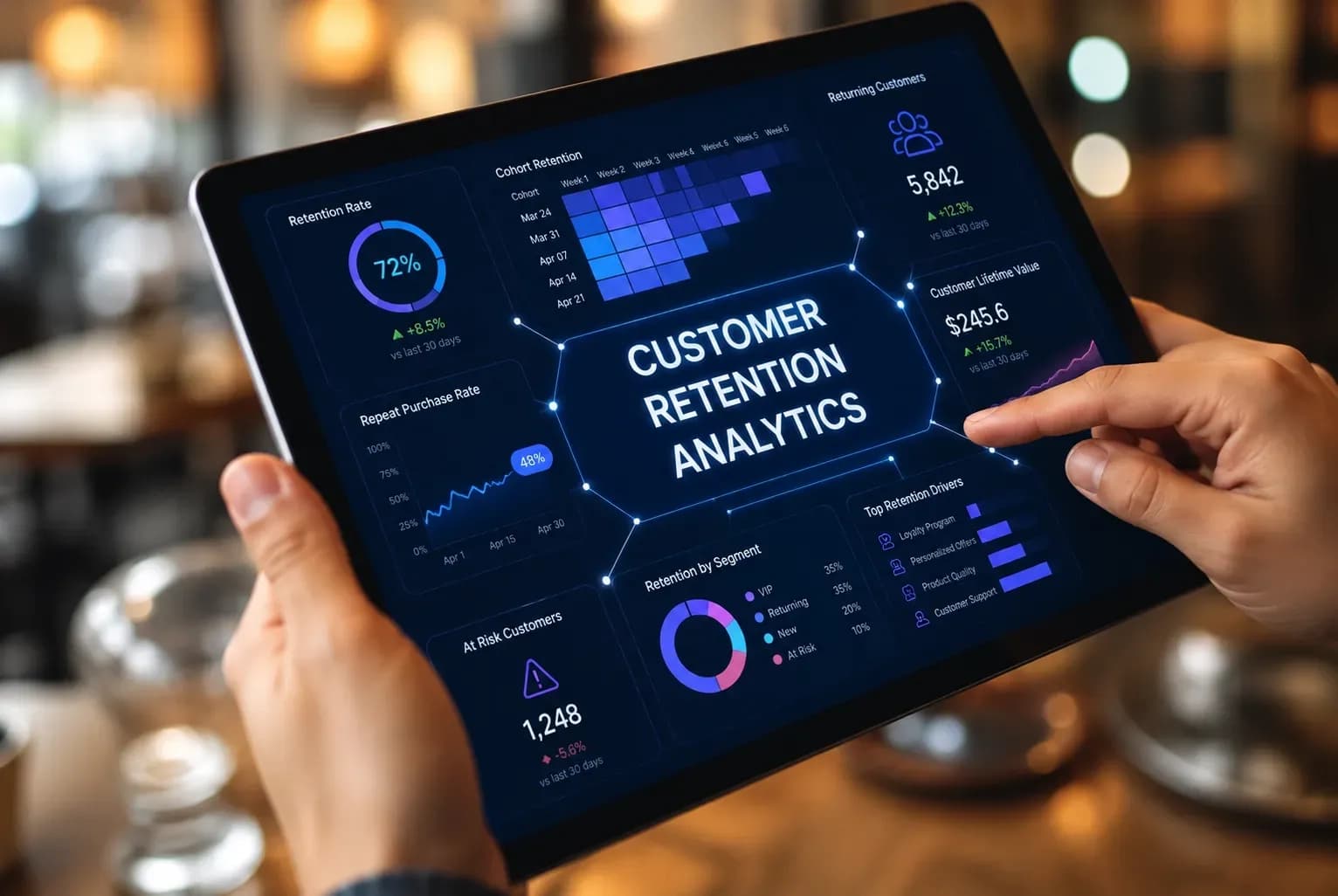 Loyalty Strategy
Customer Retention Analytics: Turn Your Data Into Retention Action
Most retention guides stop at the numbers. This one shows how to read your retention data and turn each metric into a concrete loyalty play for your Shopify store.
Thomas Nguyen Loyalty Strategy
Customer Retention Goals: 5 Targets to Set (and How to Hit Them)
A goal-first guide to customer retention: the five targets worth setting, how to make each one SMART, and the strategy that hits it.
Thomas Nguyen Loyalty Strategy
Advantages of Customer Loyalty: 7 Data-Backed Benefits for Ecommerce Growth
Customer loyalty isn't a feeling — it's a financial asset that compounds. A 5% retention bump drives 25–95% more profit; emotionally connected customers deliver 306% higher LTV. This guide covers all 7 data-backed advantages and the 3 mistakes that kill programs before the compounding kicks in.
Thomas Nguyen