Joy × AG Product Reviews: Reward reviewers without splitting surfaces
Your reviews app and your loyalty app live in two surfaces. Customers write reviews in one and earn points in another, and the gap costs you the return signal. Joy × AG Product Reviews ships the fix as one plugin.

Summarize this post with AI
Why this matters
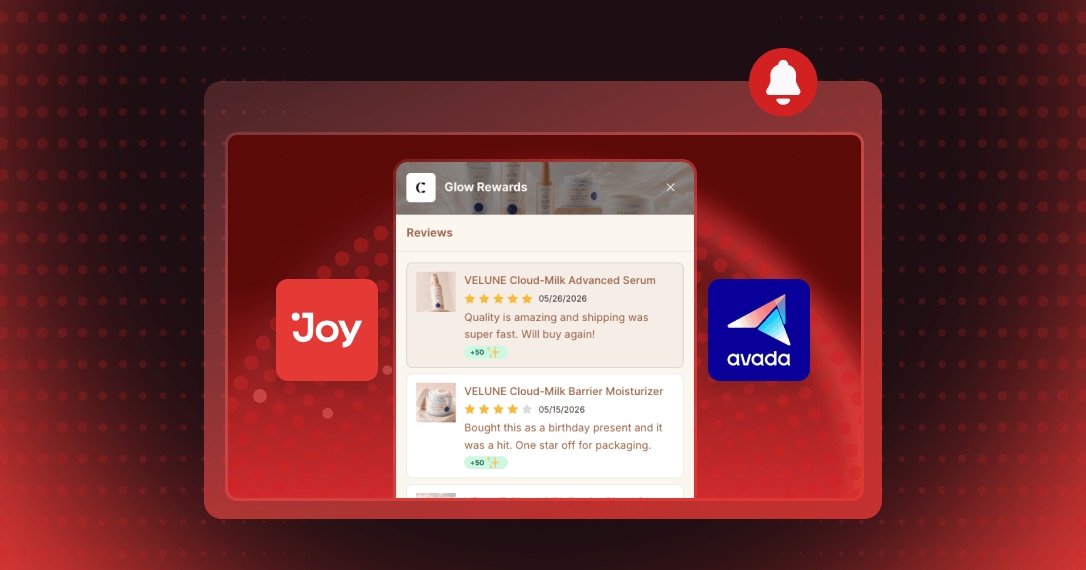
Shoppers can write a product review inside the Joy widget they already use for points and rewards. The Joy and AG Product Reviews App & UGC integration adds a Reviews tab, and points for an approved review land in the same widget.
Reward reviews where shoppers write them
A shopper opens the Joy widget, taps the Reviews tab, picks a recent order and writes the review there. Once it is approved, Joy adds the points and the widget balance updates.
Reward photo and video reviews more
Set a fixed number of points for every approved review through the Joy Earning Program. Add extra points for reviews that carry a photo or video.
Let shoppers track reviews and redeem
The tab lists each submitted review with its status, Pending or Published, and the points it earned. Shoppers spend those points on discounts or free shipping in the same widget.
Run a "double points for reviews" week with a Joy campaign. The multiplier stacks on your base review reward for the window you set.
How to access and use
Step 1: Install both apps
Install Joy and AG Product Reviews App & UGC from the Shopify App Store.
Step 2: Connect the two apps
In the reviews app, open Settings → Manage keys and copy your App ID and Secret key. In Joy, open Integrations → Air Reviews and add both keys.
Step 3: Create the review reward
On the Rewards programs page in Joy, create the Write review program.
Step 4: Turn on the Reviews tab
Go to On-site content → Widget → Unified Widget. In the Extensions section, turn on the Reviews toggle and save.
Frequently asked questions
Which Joy plans include this integration?
The Essential, Advanced, and Ultimate plans include it.
Do shoppers need a separate account for reviews?
No. Joy and AG Product Reviews App & UGC share the same customer profile, so a shopper's reviews and points sit under one login.
Where can I monitor review activity in Joy?
Go to Activities → Review activities → View all reviews activities to see the review activity Joy has recorded.