How to Run Your Loyalty Program Inside LINE
Points, tiers, expiry reminders, referrals — every loyalty moment can happen in the chat your customers already use. Here's how to run it on LINE.

Summarize this post with AI
Why this matters
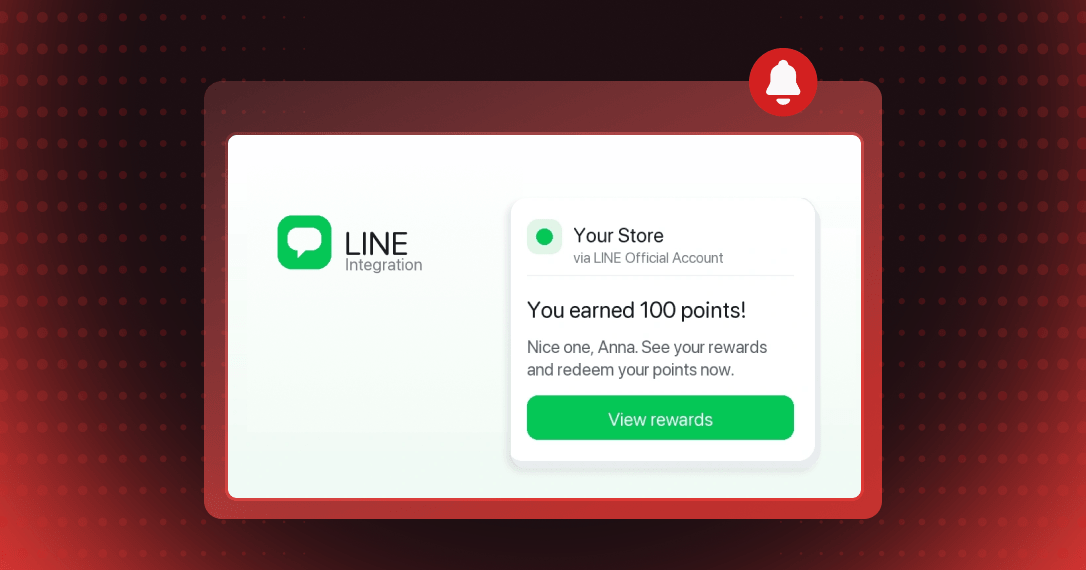
Put your loyalty program in the chat your customers already have open. The Joy and LINE integration sends points, tier, expiry, birthday, and referral updates through your LINE Official Account.
Turn LINE friends into members
The Join LINE program awards points once, when a customer logs in with LINE and follows your Official Account. Joy can then message that member.
Show members their points and tier
Members get a message when they earn or redeem points, reach a reward, or change tier. Each can show their name, points, and tier name.
Bring members back before points expire
A reminder goes out seven days before points expire, with a follow-up at three days. A birthday message can arrive seven days early.
Turn on the Join LINE earning program first. Then enable "7 days before points expire" and "Tier achieved".
How to access and use
Step 1: Set up your LINE channels
In the LINE Developers Console, create a Messaging API channel and a LINE Login channel (Web app type) under the same Provider.
Step 2: Connect LINE in Joy
In Joy, go to Integrations → LINE → Set up LINE channels and paste the four credentials. Click Test connection, then Connect.
Step 3: Paste the URLs into LINE
Copy the Callback URL into the LINE Login channel and the Webhook URL into the Messaging API channel, then turn on Use webhook.
Step 4: Turn on Join LINE
Under Reward programs → Earning programs → Add program → Social activity, pick Join LINE and choose Follow Official Account.
Step 5: Choose your notification triggers
Open Notification triggers, select the events that send a LINE message, and click Save.
Frequently asked questions
What happens if a member unfollows my Official Account?
Joy stops sending them LINE messages. The account link is kept, so messaging resumes if they follow again, with no relinking.
Can I edit the LINE messages Joy sends?
Yes. Under Customize LINE messages, click Edit on any enabled trigger to change the header title and the message, including variables such as {points}.
Can I disconnect LINE without losing customer links?
Yes. Disconnecting stops LINE notifications while your credentials stay saved and customer links are kept, so Reconnect turns messaging back on.