
Black Friday Checklist That Turns Traffic Into Revenue
Four settings on a Black Friday checklist take days, not minutes. A 14-day points approval period lands BFCM points on 11 December.
Summarize this post with AI
US shoppers spent $11.8 billion online on Black Friday 2025, up 9.1% year on year, according to Adobe Analytics. Black Friday 2026 lands on 27 November and Cyber Monday on 30 November, so the weeks that decide the result are the ones running now. A focused checklist turns that weekend into a controlled system rather than a rush for attention.
Four of the steps below have a lead time measured in days, not minutes, and three of them are platform defaults nobody chose. The table that follows gives the whole checklist with the lead time each step needs.
Key Takeaways
- US shoppers spent $11.8 billion online on Black Friday 2025, up 9.1% year on year (Adobe Analytics, US only). Black Friday 2026 is 27 November.
- Four settings carry a multi-day lead time: the points approval period, VIP tier tags written into Shopify, store credit at POS, and whether an order earns on paid or on fulfilled.
- A 14-day approval period, which is what a LoyaltyLion Make a purchase rule carries when the site is first set up, makes Black Friday points spendable around 11 December.
- Shopify puts app testing 2 to 4 weeks before BFCM, which is 30 October to 13 November 2026. Merchants in Shopify's own community freeze their stores earlier than that.
- The goal is not Black Friday revenue. It is converting deal-driven traffic into repeat customers who buy at full price later.
Updated 12 October 2026. Added the lead time for every step and the four settings that take days, replaced the 2024 spending figure with Adobe's 2025 release, and dated the checklist to BFCM 2026.
Quick Black Friday Checklist Summary
Here is the whole checklist in one table. The right-hand column is the part most checklists leave out: when each step has to be done, counting back from 27 November 2026.
| # | Step | Phase | Start by |
|---|---|---|---|
| 1 | Review last year's results | Plan smart | 6 weeks out |
| 2 | Set clear goals and limits | Plan smart | 6 weeks out |
| 3 | Map your offer | Plan smart | 5 weeks out, before discount combinations are locked |
| 4 | Plan your campaign timeline | Plan smart | 5 weeks out |
| 5 | Optimize site speed and checkout | Store ready | 30 October to 13 November, Shopify's app-testing window |
| 6 | Create a focused landing page | Store ready | 3 weeks out |
| 7 | Prepare fulfillment and backup plans | Store ready | 3 weeks out |
| 8 | Warm up your audience | Marketing | 2 to 3 weeks out |
| 9 | Build and schedule your assets | Marketing | 2 weeks out, before your own freeze |
| 10 | Test automation and tracking | Marketing | 13 November, the end of the testing window |
| 11 | Monitor and adjust in real time | Go live | 27 to 30 November |
| 12 | Keep support sharp and consistent | Go live | 27 to 30 November |
| 13 | Strengthen the post-purchase experience | Retain | Configured before 27 November, runs after |
| 14 | Build a simple follow-up sequence | Retain | Built before, sends from 1 December |
| 15 | Turn BFCM buyers into repeat customers | Retain | December into January |
The two dated rows come from Shopify rather than from us. Shopify puts app testing at 2 to 4 weeks before BFCM, which is 30 October to 13 November 2026. Merchants in Shopify's own community set a harder line than that, freezing themes and apps from late October. Each phase below expands one block of the table.
Four settings that need days, not minutes
Three of these four are defaults nobody chose, and each one can land a BFCM reward after the customer has stopped thinking about your brand. They are the reason a checklist needs a lead-time column at all.
| Setting | What the documentation says | What it costs you | Decide it by |
|---|---|---|---|
| Points approval period | A LoyaltyLion Make a purchase rule created when the site is first set up carries 14 days, and points sit in a pending state until it clears | Black Friday points are unspendable until around 11 December | Before the first promotional email, because it sets the redemption window you promise |
| VIP tier tags written into Shopify | Rivo: the first VIP tier tag sync "may take up to a few days depending on customer base", and the feature is for Shopify Plus stores | Tier-gated offers do not fire for customers whose tag has not landed | 20 November, so the first sync finishes before traffic arrives |
| Store credit at POS | Shopify: store credit "can't be active as a payment method on Shopify POS without it also being active on your online store" | A POS-only store credit rollout cannot be done at all | Before you brief in-store staff |
| Earning on paid or on fulfilled | Joy: Reward by order status decides whether an order counts when it is Paid or when it is Fulfilled, and it governs order points and referral rewards together | On Fulfilled, a double-points weekend does not exist for the customer until the parcel ships | Before the freeze, and check it against your BFCM fulfillment times |
The approval period catches the most teams. LoyaltyLion's documentation on its purchase activity says the field is optional and empty on a rule you create yourself, but that the Make a purchase rule created when your site was first set up carries 14 days, during which points stay pending. A customer who buys on Friday 27 November 2026 can spend those points around 11 December. If your plan was to earn at BFCM and redeem in December, that is still true. You just did not choose the date, and your email calendar probably assumes a different one.
Tier tags are the second. Rivo writes VIP tier membership into Shopify customer tags, which is what makes tier-gated segments work in Klaviyo and Shopify Flow, and its documentation on Shopify tagging for VIP tiers warns that the first sync "may take up to a few days depending on customer base". It is also limited to Shopify Plus stores with customer tagging enabled. Run that sync in the third week of November, not the fourth.
Store credit is a dependency rather than a delay, and it is the one that quietly kills a plan. Shopify's guide to store credit states that the credit "can't be active as a payment method on Shopify POS without it also being active on your online store". A brand that wanted store credit in-store only, to keep the online promotion clean, has no configuration that does it. Decide that before the POS briefing, not during it. The wider mechanics are in our guide to Shopify POS loyalty programs.
The fourth is the one nobody writes down. Whether an order earns on Paid or on Fulfilled decides when the points exist, and during BFCM the gap between those two states is at its widest all year. On Joy that is a single setting, Reward by order status, and it governs order points and referral rewards together. Joy's Pending Points setting is a separate switch, off until you turn it on, with the waiting period set by you rather than shipped as a default. If you promise double points on the weekend and reward on fulfilled, write the fulfillment estimate into the promise.
Settle these four first. The rest of the checklist is work you can still do in an afternoon, and if you are starting from nothing, our 15-minute BFCM loyalty setup covers the minimum viable version. For the apps themselves, including which ones have a free tier and what their order caps are, see the best Shopify BFCM apps.
Phase 1: Plan smart
Flashy graphics, dramatic discounts, or last-minute bursts of energy do not win black Friday. It’s won in the planning room, where decisions about goals, limits, offers, and timing quietly shape the entire revenue curve. So, you need to:
1. Review last year’s results
The most reliable way to predict what will work this year is to study what truly happened last year, free from assumptions, bias, or memory distortions. Rather than relying on instinct, pull complex numbers and let them tell the story.
Start with a data sweep across Shopify and GA4:
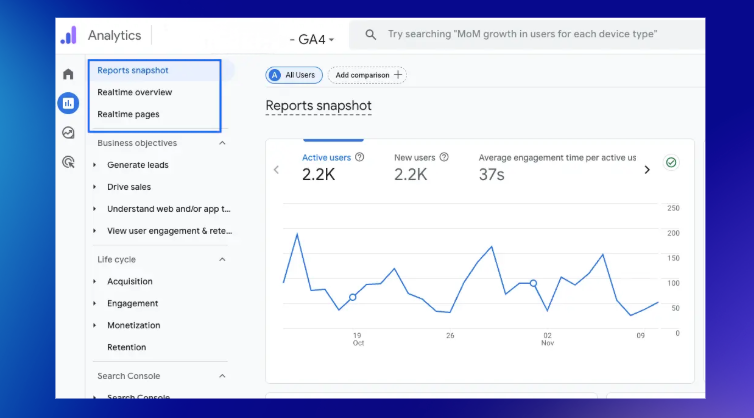
- Sales and revenue patterns: Which days carried the most weight? Did early access outperform the main event?
- Conversion rate trends: Identify your natural baseline, then flag where the rate spiked or dipped, and why.
- Top-performing SKUs: These often reveal more than overall revenue, because they show what people actively prefer under pressure.
- Traffic sources: Organic? Paid social? Email? Influencers? Break down revenue contribution by channel.
- Customer segments: New vs returning buyers, high-value customers, and customers who purchased bundles.
Next, examine outputs beyond numbers:
- Which emails had unusually high open or click-through rates?
- Which creatives attracted engagement or saved ad spend?
- Which tasks drained resources but didn’t move the needle?
This process is less about repeating last year’s success and more about uncovering structural truths about your brand: Which products convert, which channels matter, which messages resonate, and which habits are simply distractions.
Once this clarity sets in, you’re ready to assign direction to the new year, grounded in evidence instead of optimism.
2. Set clear goals and limits
A Black Friday campaign without defined goals is like a ship sailing without a compass. Every department might work hard, but they won't necessarily move in the same direction.
Before jumping into creative work or advertising strategy, establish the key pillars:
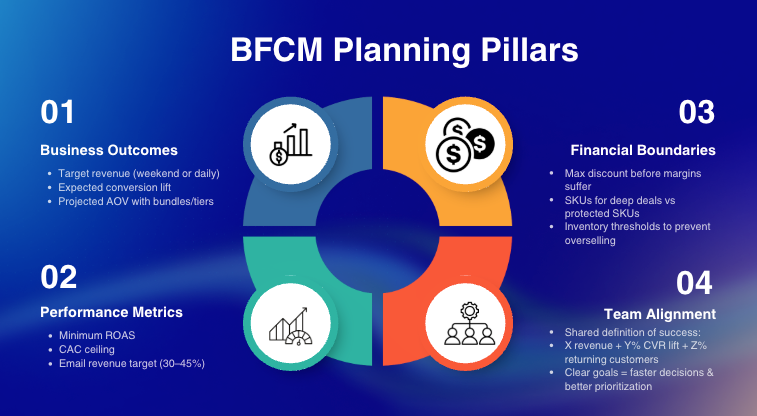
Business Outcomes
- Target revenue (for the entire weekend or by each day).
- Expected conversion lift (based on last year’s performance).
- Projected AOV with bundles or tiered offers included.
Performance Metrics
- Minimum acceptable ROAS for paid channels.
- Allowable CAC ceiling for new customer acquisition.
- Ideal email revenue contribution (often 30–45% during BFCM).
Financial Boundaries
- Maximum discount depth before margins turn unhealthy.
- SKUs eligible for deep deals vs SKUs that must stay protected.
- Inventory thresholds to avoid overselling or emergency restocks.
Team Alignment
Everyone, from marketing to warehouse to customer support, should share the exact definition of success. For example:
“Success = X revenue + Y% conversion lift + Z% returning-customer contribution.”
When goals are explicit, decision-making becomes clearer. It's easier to cut ideas that don't serve the objective and easier to defend ideas that strategically matter.
The next logical step, now that you know where you want to go, is crafting the offer journey that will take customers there.
3. Map your offer
Pick one promotional hero that fits your product mix and margin structure. That single choice sets the direction for how customers move through your BFCM experience, and it decides which discount class the rest of your offers have to combine with. Your options:
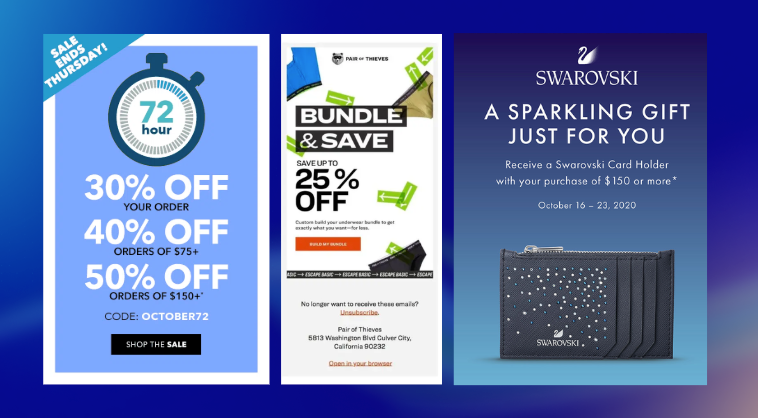
- Tiered discounts: great for wide catalogs; encourages higher spending through clear thresholds.
- High-value bundles: ideal for complementary items; increases perceived value without deep cuts.
- Gift with purchase: practical when protecting margins; works well with low-cost add-ons or samples.
- Buy-more-save-more: effective for consumables; drives multi-unit purchases.
- VIP early access: strong for loyalty-led brands; rewards subscribers and secures early conversions.
- Category-specific deals: helpful for uneven category performance; gives you tighter control over margin impact.
Once you choose your core mechanic, refine it so customers can understand it instantly and feel guided toward a larger, faster purchase. Your offer architecture shapes the entire flow of your campaign, so it should be simple, intuitive, and aligned with shopper behavior.
4. Plan your campaign timeline
Once the offer is set, the next step is timing. Think of BFCM as a sequence where each stage builds momentum for the next.
- Teaser (T-14 → T-7): Build anticipation, warm traffic, collect leads
- Early Access (T-2 → T-1): Give subscribers and VIPs first entry
- Black Friday: Highest-volume traffic; simple, bold messaging
- Cyber Monday: Digital-centric offers and last-chance urgency
- Post-BFCM (optional): Soft reminders, cart revivals, VIP restocks
To keep everything on track, set internal deadlines early:
- Creative locked by X
- Inventory freeze by Y
- Email flows scheduled by Z
These checkpoints protect execution and prevent last-minute pressure from derailing the campaign.
Phase 2: Get your store ready
Phase 2 is about making your store fast, frictionless, and stable under pressure. This is the infrastructure work that quietly drives every conversion later:
5. Optimize site speed and checkout
Speed is non-negotiable. Even a one-second delay can cut conversions by 7–12%. Test your store across multiple environments through tools like:
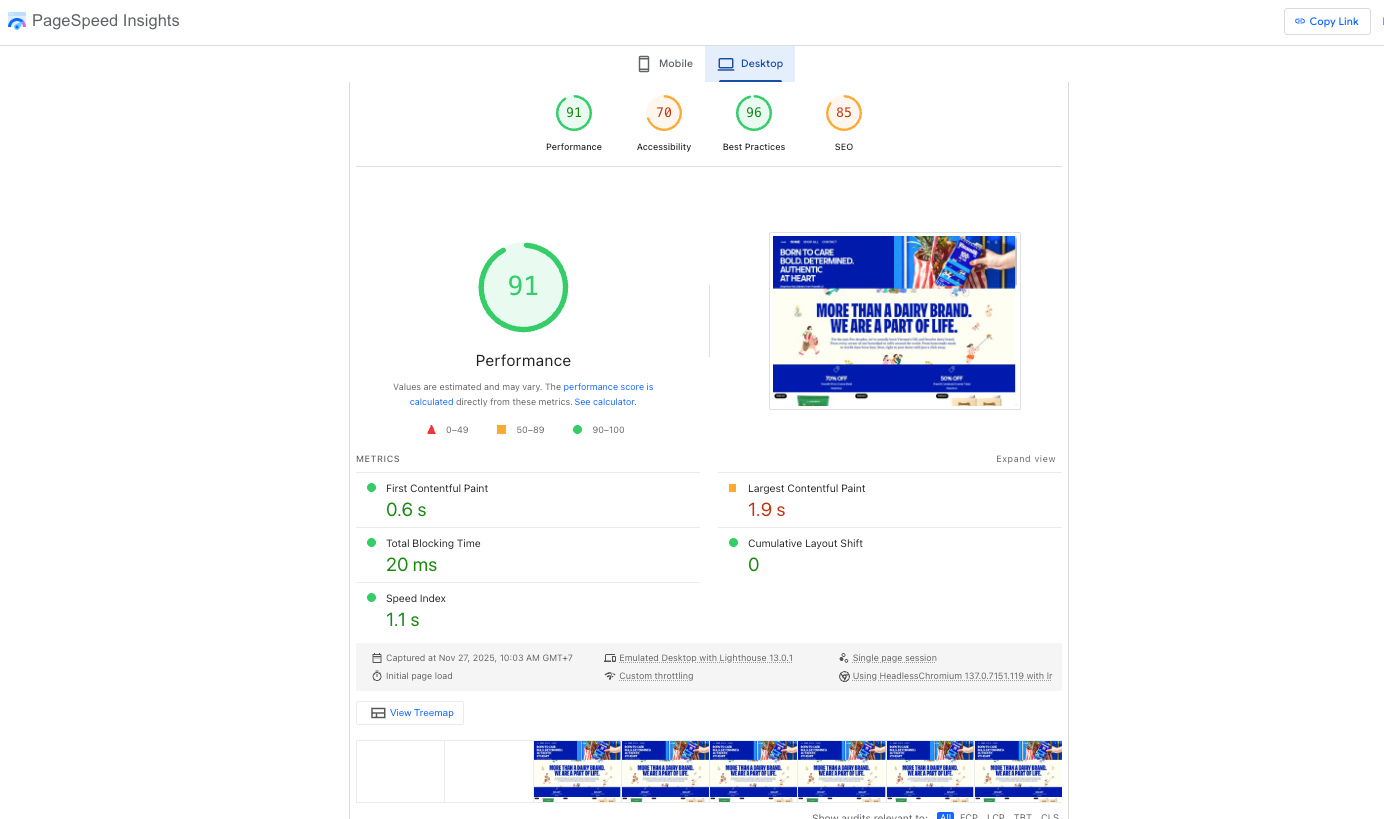
- Google PageSpeed Insights for a baseline
- Lighthouse for performance + SEO signals
- WebPageTest for FCP, TTI, and LCP
- Low-end mobile devices, where most drop-offs happen
Identify the usual offenders, such as:
- Heavy hero banners
- Oversized images
- Third-party scripts are blocking the load
Then prioritize fixes that deliver immediate ROI:
- Compress/convert images to WebP or AVIF
- Enable lazy-loading for below-the-fold assets
- Remove unused apps and disable redundant scripts
- Consolidate fonts and reduce font weights
- Make sure Shopify’s caching is fully utilized
Checkout is the final choke point, and minor issues cost real money. Improve completion by:
- Minimizing form fields
- Enabling auto-fill
- Activating Shop Pay, Apple Pay, Google Pay
- Showing clear shipping timelines
- Removing optional distractions
Before launch, you should run a whole test order on mobile. Most critical issues appear here, not in your dashboards.
6. Create a focused landing page
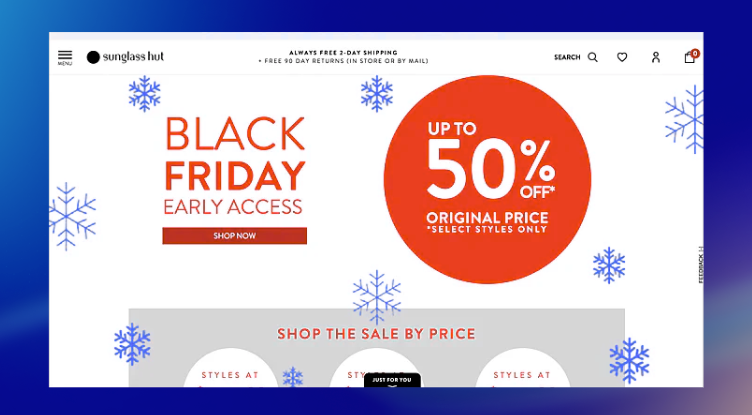
On Black Friday, your landing page must give direction immediately. To make it work, start with absolute clarity; shoppers should grasp the offer within 2–3 seconds. That requires:
- A direct headline stating the offer
- A bold discount or value statement
- Minimal above-the-fold text
- Strong visual cues guide the eye downward.
The faster the message lands, the faster customers move toward checkout.
Next, structure the page to guide behavior in a clean, predictable flow:
- Hero with a countdown to build urgency
- Top deals or bestsellers for quick conversions
- Category shortcuts for fast navigation
- Bundles/curated collections to lift AOV
- Social proof for trust
- Shipping & returns info to reduce hesitation
- FAQ to remove remaining friction
Every block needs a purpose. If it doesn’t increase confidence or drive action, cut it. And because speed rules Black Friday, keep the design lightweight:
- Clean layouts
- High-contrast CTAs
- A consistent BFCM palette
- Controlled image weight
- Minimal, non-laggy animation
Your landing page gets the click, and the next step is making sure your back-end can handle the volume.
7. Prepare fulfillment and backup plans
During BFCM, operational pressure increases sharply, and fulfillment becomes one of the most sensitive points in the customer experience. Issues like inventory mismatch, overselling, shipping delays, or mispacked orders can quietly erode profit margins and affect post-sale satisfaction, even when marketing performs well.
So, before orders climb, you need complete visibility into the SKUs that will carry most of the revenue. This means:
- Identifying the top 10 revenue drivers and confirming stock depth
- Setting safety stock for fast-moving items
- Reconfirming restock ETAs with suppliers
- Pre-packing or staging high-volume products
- Using last year’s velocity as a baseline, adjusted for expected growth
Once inventory is clear, the next step is ensuring the tools behind fulfillment can support sustained volume.
Prepare materials and systems in advance. These operational details often determine how efficiently orders move during peak hours:
- Stock sufficient packaging, labels, inserts, and tape
- Ensure shipping software and printers run reliably
- Pre-print labels for bestsellers where possible
- Schedule courier pickups earlier and more frequently
Then build a contingency plan for the unexpected. High-traffic periods introduce variables you can’t fully predict, so predefined responses keep the team aligned when conditions shift:
- SKU overselling: offer alternatives, upgrades, or store credit
- Carrier delays: communicate updated timelines proactively
- Unexpected order spikes: temporarily reassign roles
- A product going viral: switch to pre-orders or limit quantity
Phase 3: Launch your marketing
There are many different Black Friday marketing ideas and a wide range of strategies you can use, so the exact actions will vary from store to store. Your product type, margins, and audience shape the path you choose. In this phase, we focus on the core steps that underpin almost all Black Friday marketing strategies. These steps form a foundation that supports any advanced strategy you add later.
8. Warm up your audience
Warming the audience comes first because it sets the baseline for how efficiently your launch converts. When customers recognize your brand before the sale begins, every message that follows carries more weight.
We recommend you start 2–3 weeks before launch. Tease the event without revealing the offer. You’re establishing awareness, not delivering details. Next, emphasize early access as a benefit, because customers respond well when they understand what they gain by staying engaged. Phrases like “Be the first to shop”, “VIP-only deals”, and “Early access opens soon” reinforce that advantage.
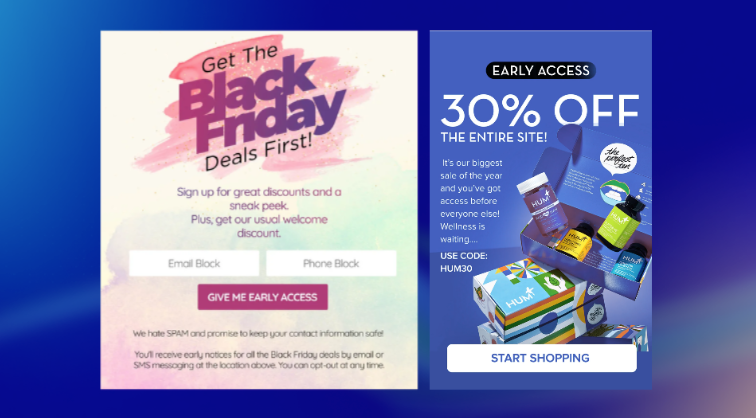
After that, segment your audience so each group receives the most relevant message, which increases response rates and reduces unnecessary sends:
- Returning customers → loyalty messaging
- One-time buyers → trust and simplicity
- High-value customers → priority access
- Cold subscribers → curiosity-driven hooks
Once the audience is warm and segmented, the next logical step is ensuring the campaign materials they’ll see are ready and consistent.
9. Build and schedule your assets
With attention building, you need a complete set of assets ready before traffic increases. This prevents last-minute production and ensures every touchpoint reinforces the same message.
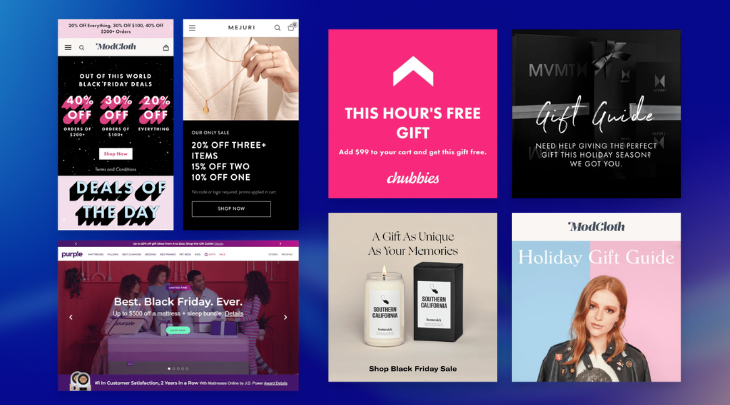
Build a full asset system, including:
- Email flows: teaser → early access → launch → reminder → last call
- Static visuals: banners, hero graphics, announcement bars
- Paid ads: Meta, TikTok, Google Shopping, retargeting
- Social content: Reels, TikTok hooks, story cards
- SMS scripts: concise, mobile-first
- Pop-ups: entry, exit-intent, loyalty prompts
- Landing page modules: swappable sections for quick updates
Once the assets exist, the following requirement is functionality. All technical elements must work correctly before scheduling to avoid disruptions during peak traffic. Let’s check:
- Discount codes
- All links and deep links
- UTM parameters
- Countdown timers
- Mobile responsiveness
- Email rendering
After functionality is confirmed, schedule everything, including:
- Emails
- SMS
- Social posts
- Paid ads switching phases
- Announcement bar updates
- Homepage/landing page swaps
This sequence—warm → build → validate + schedule, creates a stable foundation so your team can focus on real-time monitoring when the campaign goes live.
10. Test automation and tracking
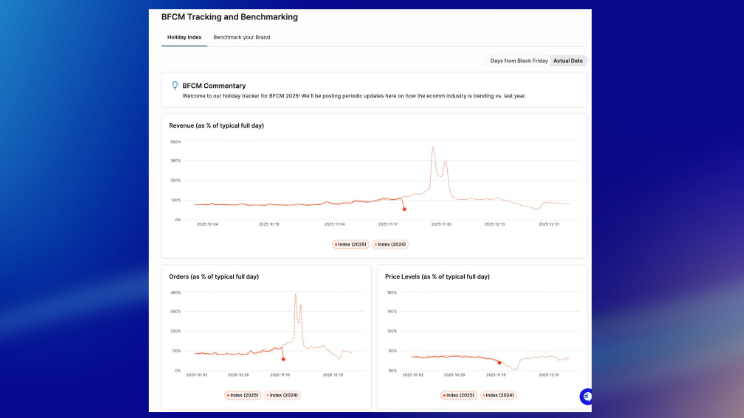
After your assets are scheduled, confirm that your automations can handle BFCM traffic. Automation recovers intent, so everything must work reliably.
Start with a quick audit of key flows, such as:
- Abandoned Cart
- Browse Abandonment
- Welcome
- Post-Purchase
- Back-in-Stock
- VIP/Loyalty
Ensure the messaging aligns with BFCM: apparent urgency, simple copy, and fast return paths.
Next, adjust timing to match faster decision cycles. For example:
- Abandoned Cart → first email within 10–20 minutes
- Browse Abandonment → same-day trigger
- Reminders → tighter spacing
Then verify all tracking, including:
- Meta and TikTok pixel events
- GA4 enhanced eCommerce
- Server-side tracking (if applicable)
- UTMs and deep links
Accurate tracking ensures you can optimize during the sale.
Finally, run a quick end-to-end test: browse → abandon → receive email → return → purchase → confirm tracking. This catches missing triggers or broken logic before traffic spikes.
Phase 4: Go live and stay in control
Phase 4 focuses on active management. Once the campaign is live, your job is to watch performance closely, make minor adjustments quickly, and keep the customer experience stable during peak traffic.
11. Monitor and adjust in real time
First, track performance closely. Data changes quickly during BFCM, so check your dashboards frequently and focus on metrics that show momentum, such as:
- Conversion rate (landing page + sitewide)
- Add-to-cart rate
- AOV and bundle performance
- Traffic sources driving profitable sessions.
- ROAS by ad set
- Discount code usage
- Inventory depletion per SKU
If something shifts, adjust immediately, as quick adjustments protect revenue during high-traffic windows. For example:
- Underperforming ad → pause, duplicate, or reallocate budget
- Fast-selling SKU → limit quantity or surface alternatives
- Checkout drop → test-load checkout and remove conflicting scripts
- Low page engagement → swap hero or re-order sections
In addition, keep your team aligned. Share updates regularly, assign clear monitoring roles, and log every change. This prevents duplication and keeps everyone focused on the right signals.
12. Keep support sharp and consistent

Support becomes critical once traffic peaks. Therefore, increase capacity and prepare your team to respond consistently. Start by extending coverage, such as:
- Longer support hours
- Extra team members on standby
- Clear assignments for shipping, technical issues, returns, and discounts
Then, prepare a set of instant replies for common questions, including:
- Discount code issues
- Shipping timelines
- Order or address changes
- Return policy
- Discount eligibility
These templates keep responses fast and consistent.
Moreover, update your FAQ with Black Friday–specific information, such as:
- Sale rules
- Delivery timelines
- Return/warranty details
- Stacking rules
- Loyalty/reward usage
A clear FAQ reduces ticket volume and helps customers self-serve.
Plus, you should treat every support interaction as a sales moment. Fast, confident responses guide hesitant customers back to checkout and help maintain a smooth experience throughout the weekend.
Phase 5: Retain and reactivate
Phase 5 focuses on turning BFCM buyers into long-term customers. Once the sale is over, the priority shifts from conversion to retention, because repeat purchases expand margins, reduce acquisition pressure, and strengthen loyalty.
13. Strengthen the post-purchase experience
The first focus is reassuring customers right after they buy. This period carries high excitement and sometimes uncertainty, so clear communication matters. You can start with essential post-purchase touchpoints, such as:
- A warm, personal thank-you email
- Delivery confirmation with tracking links
- A short branded message reinforcing the BFCM story
These reduce anxiety and improve customer satisfaction.
Next, request reviews at the right moment, typically 7–14 days after delivery. Ask for: product reviews, photo/video UGC, quick unboxing feedback. This builds social proof for December and early-January traffic.
14. Build a simple follow-up sequence
Once the initial touchpoints are complete, continue guiding customers with light, value-driven messages. Use email/SMS to:
- Suggest complementary or relevant items
- Share care tips or styling guides
- Introduce brand values
- Invite customers to follow your social channels
- Provide holiday shipping reminders
The purpose here is engagement, not immediate conversion.
15. Turn BFCM buyers into repeat customers
Encourage return visits through rewards and personalized journeys. It’s essential to introduce loyalty benefits while customers are still engaged. And if you are a Shopify store owner, an app like Joy Loyalty makes this easy with:
- Double points for BFCM buyers
- Bonus points for referrals
- Targeted reward prompts
These feel like appreciation rather than pressure. Plus, you can build a dedicated path for new BFCM customers, including:
- A welcome message acknowledging they discovered you during BFCM
- A simple brand introduction
- Loyalty tiers and unlockable benefits
- A prompt for profile/birthday completion
- An early look at upcoming holiday drops
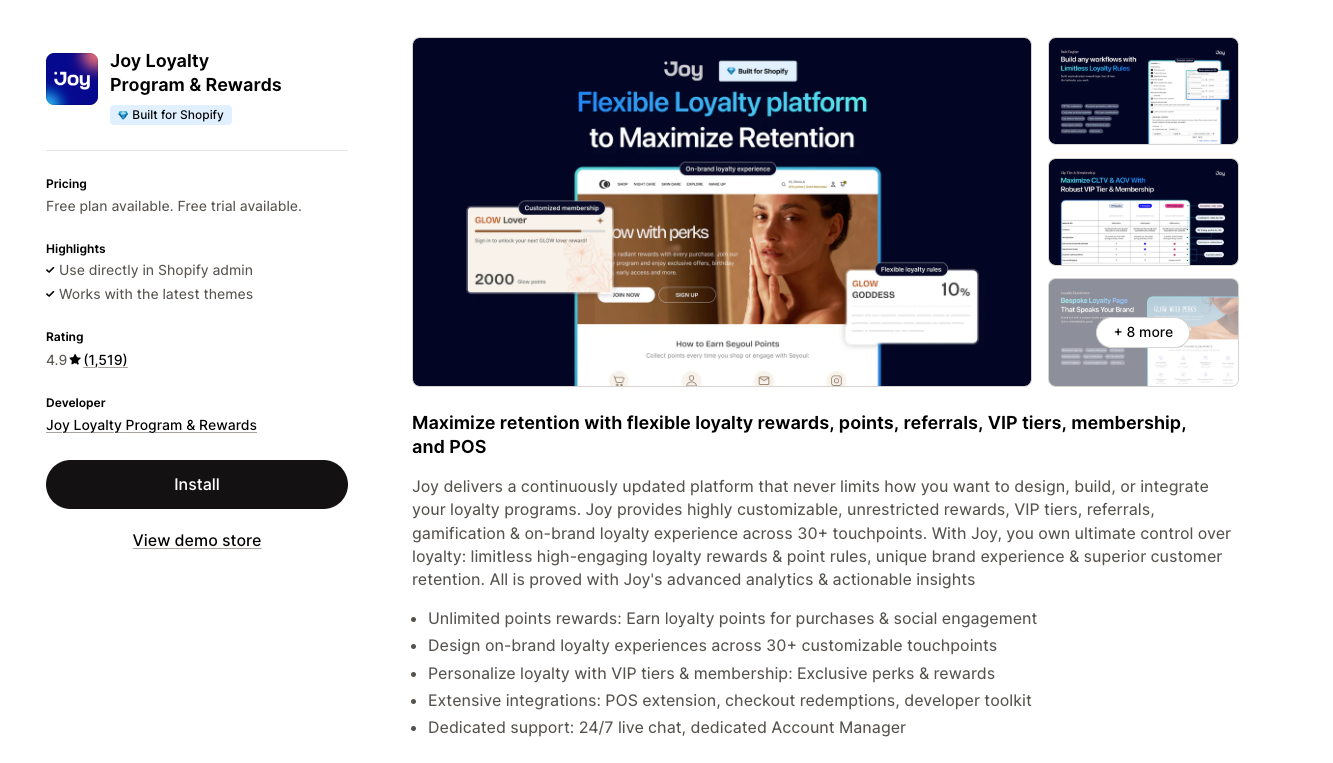
This helps shift the mindset from “I bought because of a discount” to “I want to stay with this brand.”
Finally, reactivate gently through value-based nudges, such as:
- Points reminders (“You’ve earned X points—redeem them before the holidays”)
- Early-access notices
- Referral rewards
These outperform generic discount blasts because they speak to customers as individuals with earned benefits.
Final thought
Black Friday works when every phase connects with purpose. A clear Black Friday checklist keeps your actions aligned, your team focused, and your customers guided. When all five phases fire in sequence, the campaign stops feeling like a rush and starts feeling like a system you can scale again and again.

Written by
Thomas Nguyen is the CEO & Co-founder of Joy, a loyalty solution for Shopify and eCommerce brands. With years of experience building high-performance Shopify apps, Thomas aims to help merchants grow through customizable and retention-focused tools.
Related reading
 How-to Guide
Corporate Loyalty Programs: How to Build One That Actually Works
Most guides treat employee recognition and customer loyalty as separate topics. They shouldn't.
 Thomas Nguyen
 How-to Guide
How to Enhance Customer Loyalty: A 7-Step System That Works
A 5% lift in retention can drive 25–95% more profit — but most brands never close the gap between knowing loyalty matters and building a system that moves the numbers. Here is a 7-step system to enhance customer loyalty, from baseline audit to ROI measurement, with real brand examples.
Thomas Nguyen-d82615.webp&w=3840&q=75) How-to Guide
How-to GuideB2B Referral Program: How to Build One That Drives Revenue
Most B2B brands already get referrals by accident. Here’s how to turn them into a system: readiness checks, a 5-step build, and why most programs stall.
Thomas Nguyen How-to Guide
Shopify Discount Combinations: Why Your Loyalty Reward Will Not Stack
Shopify does not combine discounts by default, and the setting only reaches reward codes issued after you change it.
Thomas Nguyen Program design
VIP Early Access on Shopify: Three Ways to Gate a Sale Before It Opens
Shopify can limit an automatic discount to a customer segment. Three ways to gate a VIP sale, and where each one leaks.
Thomas Nguyen How-to Guide
Set Up Your BFCM Loyalty in 15 Minutes
Set up BFCM loyalty in fifteen minutes, then spend a sixteenth placing one real order with both the sale discount and a reward on it.
Thomas Nguyen