
How to Create a Loyalty Program on Shopify: Preview It First
Shopify has no built-in loyalty program, so you add an app. Preview Joy on your own store first, then install free for up to 250 orders a month.
Summarize this post with AI
Shopify has no built-in loyalty program, so you create one with a loyalty app from the Shopify App Store. Work in this order: pick one goal, preview the program on your own store, install on a free plan, set earning and rewards, test in sandbox mode, then launch. Joy's Starter plan is free up to 250 monthly orders on its Shopify App Store listing as of 21 October 2026.
Most of the decisions below happen before anything touches your live store. Keep that in mind at step 2.
Key takeaways
- Shopify leaves loyalty to apps. The Shopify App Store lists them in a Loyalty and rewards category.
- You can see Joy on your own storefront before installing it. The preview at joy.so/start-free builds a working copy of your store; nothing is installed and the live store does not change.
- Joy's Starter plan is free up to 250 monthly orders with points, referrals and the loyalty widget. VIP tiers, POS loyalty and wallet passes start on Advanced at $129 a month.
- Price every earning action as a share of the first reward, so a new member starts halfway to it.
- Moving from Smile.io, Yotpo, Stamped, Rivo or LoyaltyLion to Joy carries no migration fee, and points balances and VIP tiers move with your customers.
Does Shopify have a built-in loyalty program?
No. Shopify leaves the loyalty program to apps, and the Shopify App Store files them under a Loyalty and rewards category. In-store selling works the same way: Shopify's changelog note on loyalty apps in the POS cart (June 2019) describes POS loyalty as something a third-party app manages.
So "creating a loyalty program on Shopify" means choosing an app and configuring it. A Shopify loyalty program is that app's rules running on your storefront. Customers earn points for orders and other actions, then redeem them for discounts, free products or free shipping. Larger programs add VIP tiers that unlock better perks.
The app decides how far the program can bend to your margins and your theme. That is why the first real choice in the steps below is made before you install one.
How to create a loyalty program on Shopify in 9 steps
Steps 1 and 2 happen before you install anything, and step 8 happens before any customer sees the program:
Step 1: Pick one goal, then the program type that serves it
Choose one number the program has to move. Repeat purchase rate, the average order value of members against non-members, or orders from referrals. Write down where it stands today and the date you will check it again.
The goal picks the mechanics. A repeat-purchase goal starts with points on every order. A referral goal puts the referral program first. A goal about your best customers spending more points to VIP tiers, which come later in step 6.
Start with points unless the goal says otherwise, because tiers, referrals and paid membership all build on a points balance. If you are unsure which structure fits, compare the types of loyalty programs first.
Whatever the goal, track Assisted Orders: orders placed through a referral link or with a loyalty-generated discount code. It separates revenue the program produced from points it handed out.

Step 2: Preview the program on your own store before you install
Type your store's address at joy.so/start-free and you get a working copy of your storefront with the real Joy widget on it. The page reads your storefront, matches your colors and type, and writes a first set of rewards. It is usually ready in under a minute. Nothing is installed, and your live store does not change.
This is the cheapest moment to catch a mismatch. A widget that clashes with your theme, or a reward that does not suit your margins, costs nothing to discard here. After launch, the same discovery means rebuilding a program your customers already hold points in.
One limit stays. The preview needs a public storefront. A store behind Shopify's password page cannot be read, so a brand still in pre-launch has to skip this step until it opens.
Other apps' demos run on stores the vendor owns. On 21 October 2026, Smile's App Store listing linked to a fixed demo store. BON's listing pointed to a demo store of its own, and so did Appstle Loyalty's listing. LoyaltyLion's listing linked to a click-through product tour. Yotpo's support article Testing your Loyalty Program on Shopify describes a Customer Preview on your own rewards page. It runs after setup, on Yotpo's Premium and Enterprise plans.
Step 3: Install Joy on the free plan
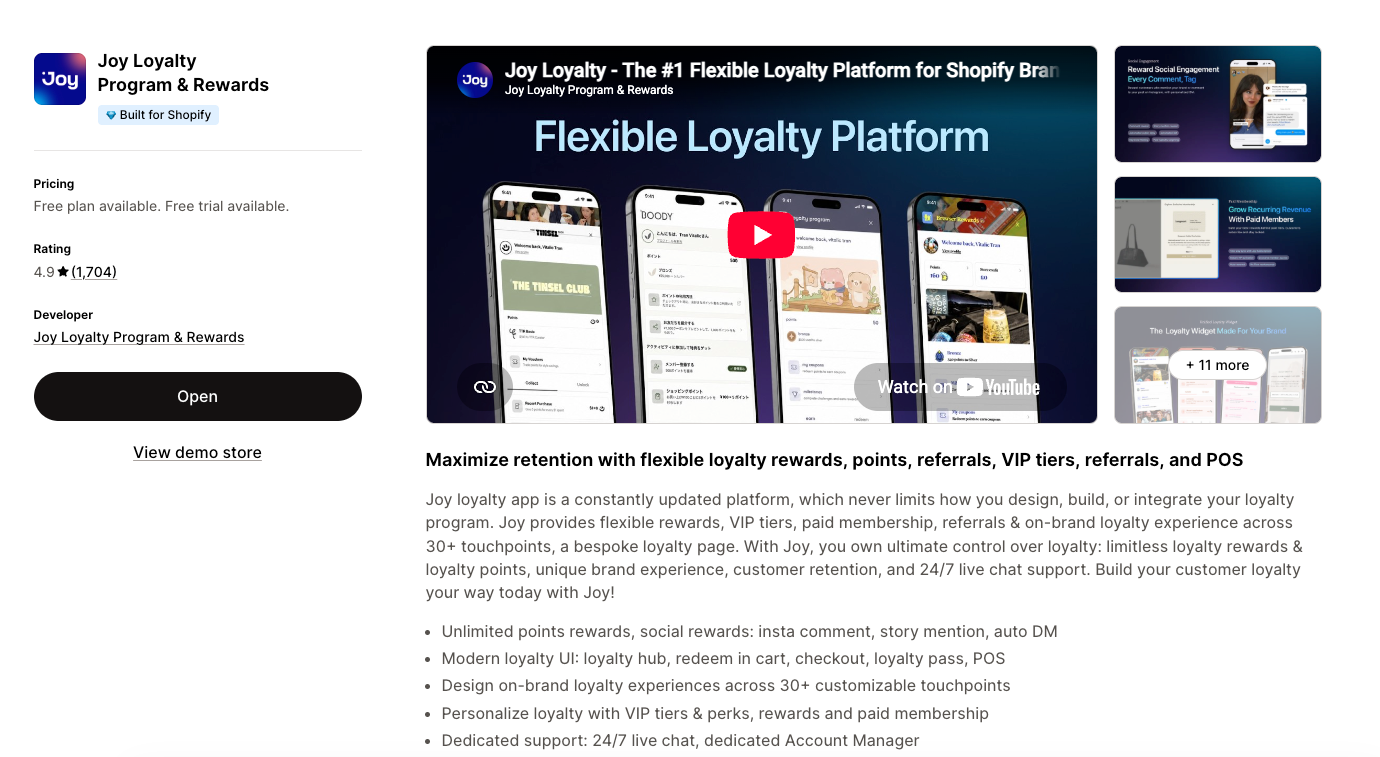
Install the app from its Shopify App Store listing and stay on Starter. Starter is free up to 250 monthly orders. It includes a flexible points and rewards program, a referral program with fraud prevention, the unified loyalty widget, on-brand loyalty design, email reward notifications and 24/7 live chat support.
If your brand already runs more than 250 orders a month, Starter is the wrong plan. Plans are priced by order volume. Essential is $29 a month with 500 orders included, then +$15 per 100 orders. Advanced is $129 a month with 2,000 orders included, then +$10 per 100. Every order created in Shopify counts toward the allowance, whatever its source, including import tools and manual orders. A sale weekend moves that count without anyone touching the program.
Shopping around first? The free plans compared by order cap shows where each app's free tier ends, and the pricing page lists every plan.
Step 4: Set how customers earn points
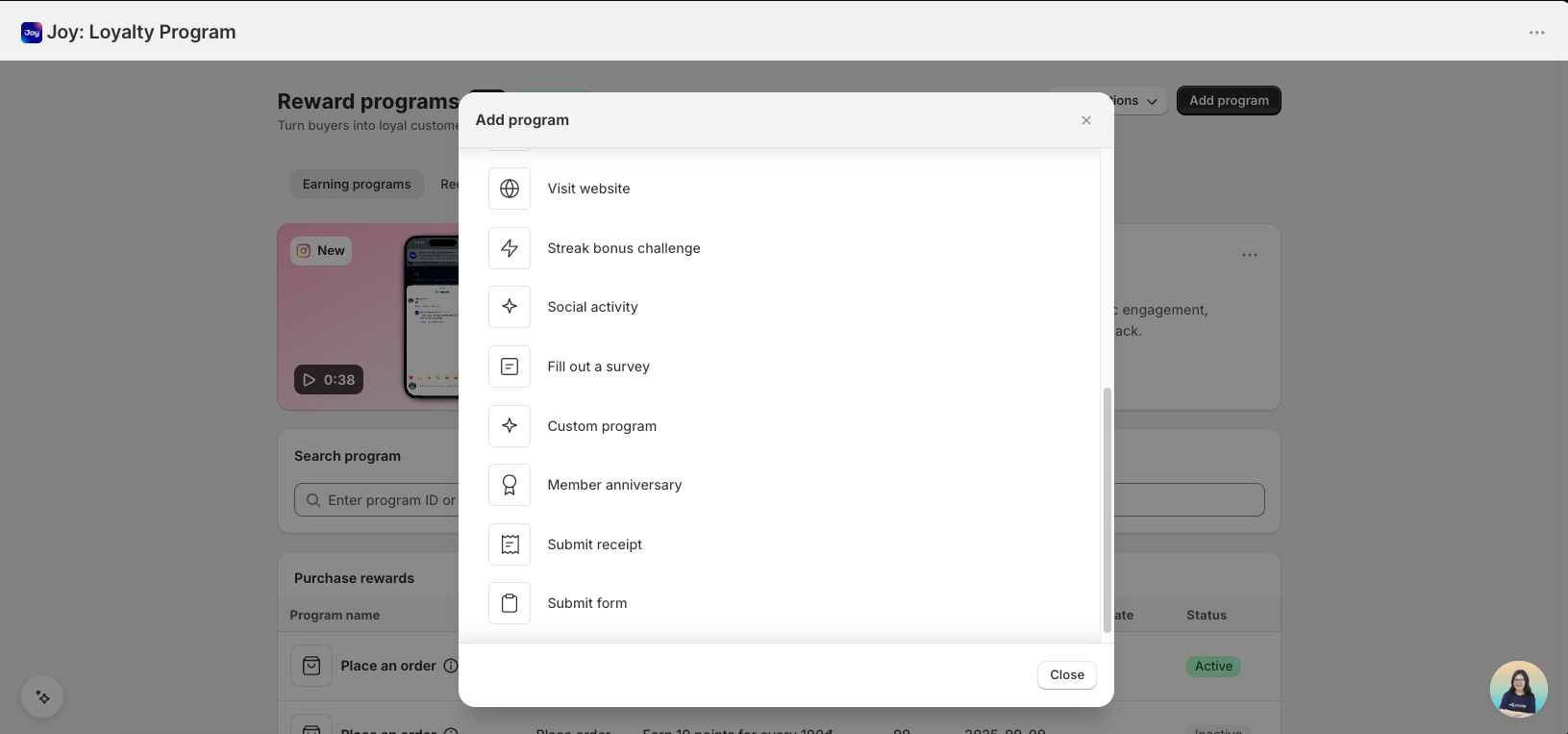
Earning rules live under Reward Programs, then Earning programs. Add a program, set the points and the channels it applies to, and turn it on. Reward the actions tied to your step 1 goal: orders first, then account sign-ups, reviews, referrals and birthdays. Points for social engagement start on Essential.
Price every action as a share of the first reward. It keeps the numbers tied to what a reward costs you. Say 500 points buy a $5 reward:
- Sign-up: 250 points, half the first reward, so a new member starts halfway there.
- Review: 150 points.
- Birthday: 500 points once a year, the whole first reward.
- Referral: a quarter of the first reward to the referrer, and a quarter to the friend.
- Social follows: 50 points per follow, with sign-up and social points together kept below the first reward.
Set the points per order from your gross margin. The reward a customer earns today is a discount you pay on a later order. Read what a loyalty point costs you before you pick the rate.
Step 5: Choose the rewards customers redeem
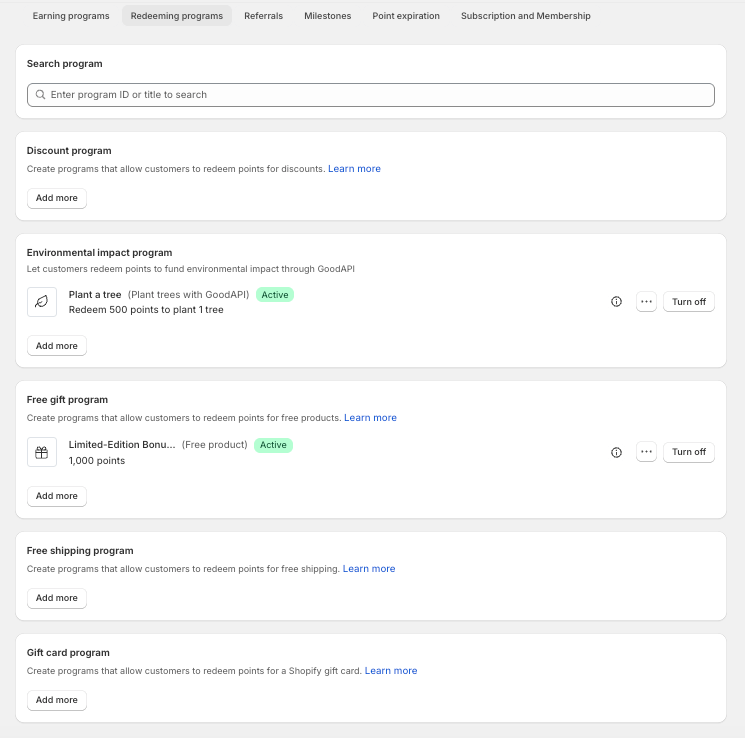
Rewards live under Redeeming programs. The options are discounts, free gifts, free shipping and gift cards. Set the points each one costs and turn it on.
Make the first reward reachable on a typical repeat order. A member who never redeems never feels the program. Discounts and free shipping are the familiar openers. Early access and member-only products cost little margin and suit brands that release limited stock.
Watch redemption once you launch. What redemption rates tell you covers how to read the number.
Step 6: Add VIP tiers when repeat buyers need a next level
VIP tiers start on the Advanced plan, at $129 a month. Set each level by points, spend or order count. Give each one a perk worth climbing for, such as a higher earning rate, free shipping or early access.
The app reads your order history on install, so tiers start from real purchases and existing customers are placed by what they have already bought.
Add tiers once the top level would hold customers worth naming. For a brand on Starter, tiers are the point where the program starts to cost money. Launch them when your repeat buyers need somewhere to go. The guide to tiered loyalty programs covers how many levels to set and where the thresholds go.
Step 7: Put the program on your storefront and in your emails
Switch on the widget first. In the Shopify theme editor, open App embeds and turn on "Joy Loyalty - Widget". Starter includes the unified loyalty widget and on-brand loyalty design. In the app, On-site content holds the widget and the referral pop-up settings.
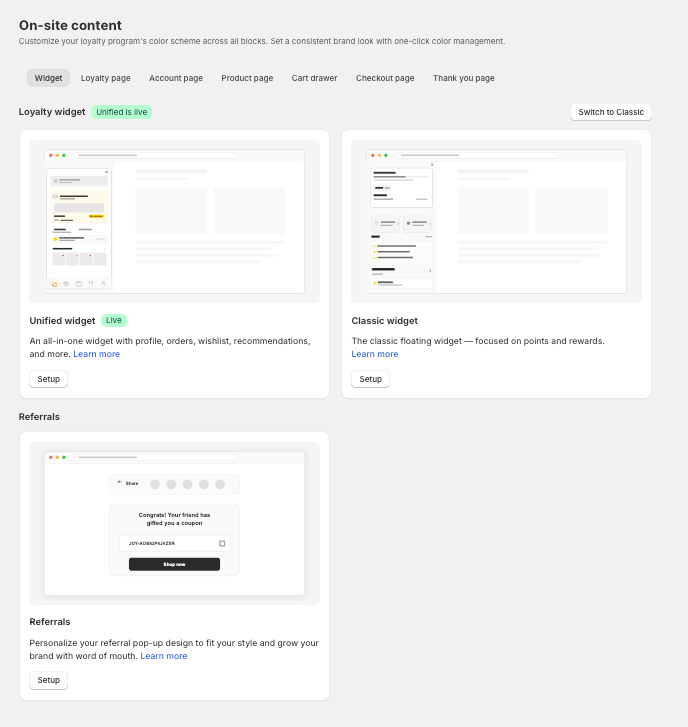
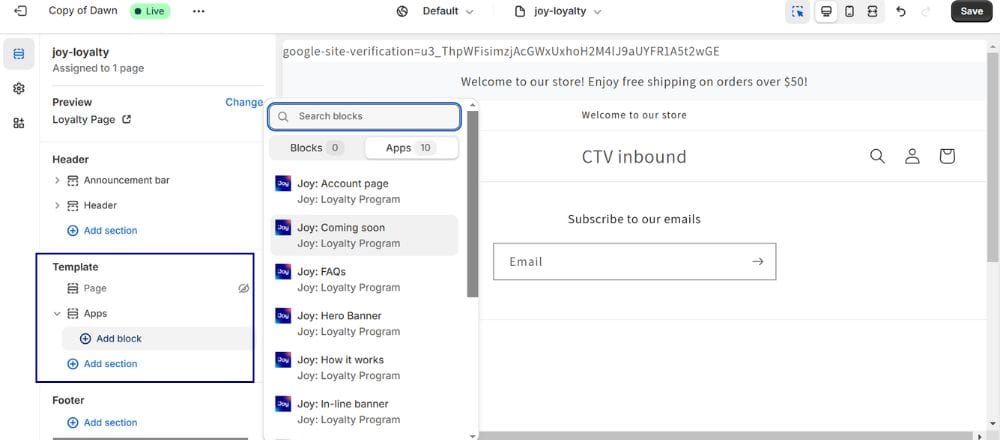
A dedicated loyalty page comes with Essential. You build it in the Shopify theme editor with the app's blocks:
- Open the loyalty page template, choose Add section, then Apps.
- Add the blocks you need: Hero banner, How it works, Ways to earn, Ways to redeem and FAQs. The FAQs block needs the FAQ list set up in the app first.
- Match colors, fonts, buttons and icons to your theme, then save and publish.
Then connect your email. Starter sends email reward notifications on its own. Klaviyo and the other 30+ native integrations, along with Shopify Flow automation, start on Essential. For copy that gets opened, see these loyalty program email examples.
Step 8: Test in sandbox mode, then launch and promote
Sandbox mode tests the program on designated test accounts without awarding real points. It is available on every plan. Turn it on from the Reward programs menu, add your test accounts, place a test order and check that the points land where you expect. The sandbox mode guide walks through each setting.
Turn sandbox mode off when the numbers check out, then tell customers. Put a banner on the homepage and email your list on launch day. Add the program to your post-purchase email so every new buyer hears about it while the order is fresh. Brands with a physical counter can add QR codes at the till.
Step 9: Measure, then adjust earning and rewards
Go back to the number you wrote down in step 1 before you change anything. Then read these alongside it:
- Repeat purchase rate of members against non-members.
- Redemption rate, the share of earned points customers spend.
- Referral rate, the new customers who arrive through a member's link.
- Average order value and lifetime value of members against non-members.
- Assisted Orders, the orders the program produced.
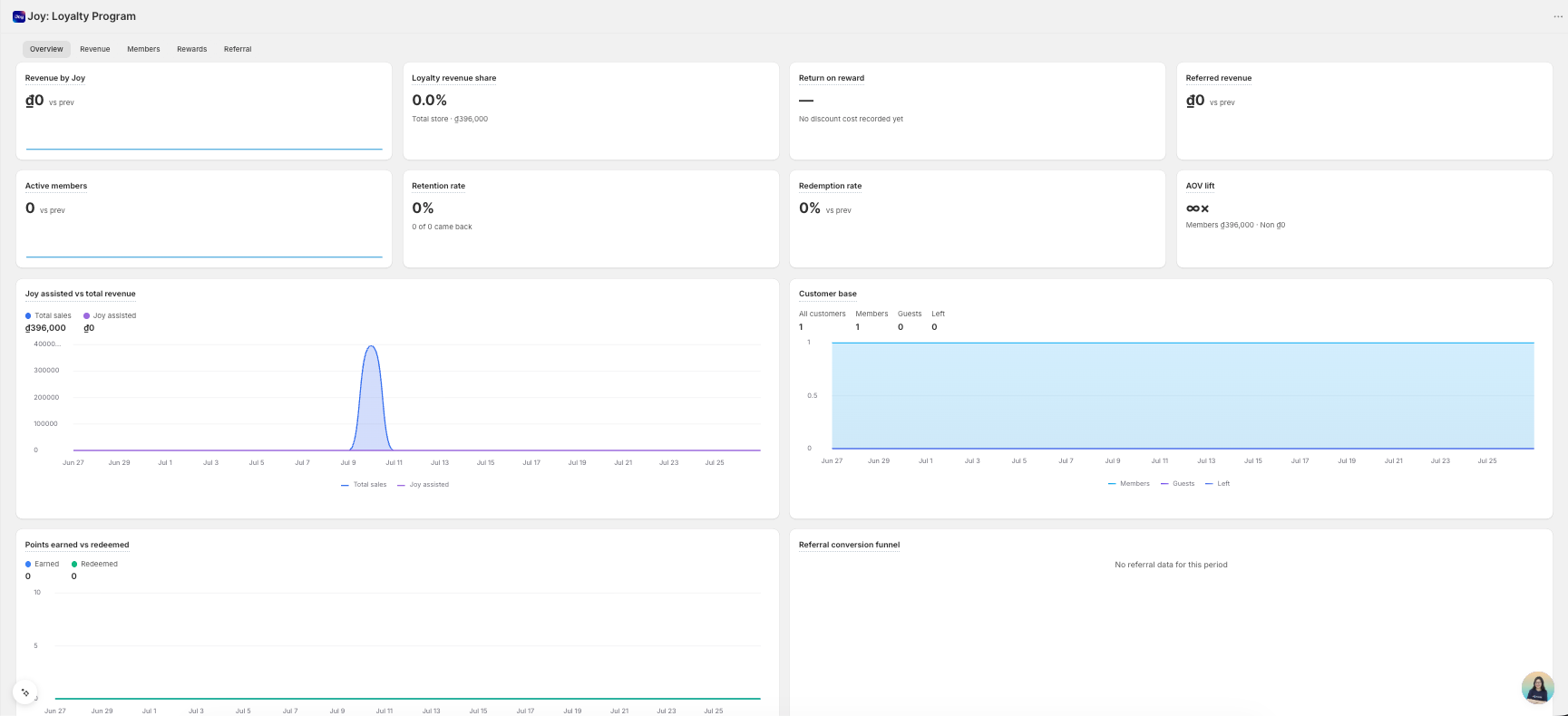
Low redemption usually means the first reward sits too far away. Strong sign-ups with few second orders mean earning on orders is too thin. Analytics and performance reports start on Essential. For the business case behind these numbers, see how to calculate loyalty program ROI.
Switching from another loyalty app
Joy migrates customer points, VIP tiers and reward history from Smile.io, Yotpo, Stamped, Rivo, LoyaltyLion and other apps, free of charge. Your customers keep their balances, so nobody is asked to start over.
Run the preview in step 2 before you decide. It shows the new program on your storefront next to the one you run today, without touching either one.
The migration itself carries no fee. A fully managed setup of the whole program is a separate service: white-glove onboarding, listed on the Ultimate plan only. On other plans, your team still configures the earning, rewards and tiers after the data moves. Details and the migration call are on the migration page.
If the app you run today already fits the program you want, stay. A migration costs your team time and wins you nothing.
Three Shopify brands and the step that mattered
Each figure below belongs to the brand that earned it. Your category decides how often customers buy at all.
The Tinsel Rack built its program around VIP tiers (step 6). It moved to Joy from another platform and reached a 94% loyalty enrollment rate.
Songmont moved its members with it when it switched. It migrated 200K+ members from its previous platform, which is why a switch is planned around customer balances first.
Allbirds shows what the measurement in step 9 is for. Its loyalty program returned 1,700% ROI.
See it on your store, then start free
Most of this guide happens before a customer sees anything, and step 2 costs nothing to run. 10,000+ Shopify stores use Joy, and it holds a 4.9★ rating on the Shopify App Store. Adding referrals next? Follow the guide to set up a referral program on Shopify.
Type your store's address at joy.so/start-free and look at the widget on your own storefront before you change anything else.
Frequently asked questions
Can I create a loyalty program on Shopify for free?
Yes, within an order cap. Joy's Starter plan is free up to 250 monthly orders, with points, a referral program with fraud prevention and the loyalty widget. VIP tiers, POS loyalty and wallet passes start on Advanced at $129 a month. The free Shopify loyalty plans compared shows where each app's free tier stops.
Can I see the program on my store before installing an app?
Yes. joy.so/start-free builds a working copy of your storefront with the widget on it, usually in under a minute. Nothing is installed and your live store does not change. The storefront has to be public, so a password-protected store cannot be previewed.
Do I need Shopify Plus to run a loyalty program?
No. Shopify Plus matters for one surface: checkout UI extensions, which put loyalty inside checkout itself. Joy's pricing page marks them as Shopify Plus only, and they sit on the Ultimate plan.
Does a Shopify loyalty program work with Shopify POS?
Yes, through the app. Joy's POS loyalty extension starts on Advanced, so customers earn and redeem from one balance online and in store. The Shopify POS loyalty guide covers the in-store setup.
What happens to my customers' points if I switch loyalty apps?
They move with your customers. Points balances, VIP tiers and reward history come across from Smile.io, Yotpo, Stamped, Rivo, LoyaltyLion and other apps, with no migration fee.

Written by
Thomas Nguyen is the CEO & Co-founder of Joy, a loyalty solution for Shopify and eCommerce brands. With years of experience building high-performance Shopify apps, Thomas aims to help merchants grow through customizable and retention-focused tools.
Related reading
 Program design
Your Thank-You Page Changed on 26 August. Check the Loyalty Sign-Up Still Shows.
Shopify replaced every remaining Thank you page on 26 August 2026. Check that your loyalty sign-up block survived it.
 Thomas Nguyen
 How-to Guide
Should Customers Earn Loyalty Points on Bundles and Subscription Orders?
A policy framework for points, VIP spend, redemptions, refunds, and multipliers on bundle and subscription orders.
Thomas Nguyen How-to Guide
Tag the BFCM Cohort Before It Arrives: What a Date Filter Cannot Rebuild
Shopify can rebuild who bought during the sale at any time. It cannot rebuild who was already a member that day. A tag can.
Thomas Nguyen How-to Guide
What Does a Discounted Order Earn? Four Apps, Four Answers
A $100 jacket at 40% off: does it earn 100 points or 60? Four loyalty apps, four answers, and one test that settles it.
Thomas Nguyen How-to Guide
BFCM Readiness: Shopify Tests Checkout, Nobody Tests Your Widget
Shopify scale-tests checkout at 80,000 a minute. The risk you own is the storefront, measured on the signed-in path.
Thomas Nguyen How-to Guide
Shopify Discount Combinations: Why Your Loyalty Reward Will Not Stack
Shopify does not combine discounts by default, and the setting only reaches reward codes issued after you change it.
Thomas Nguyen